3736
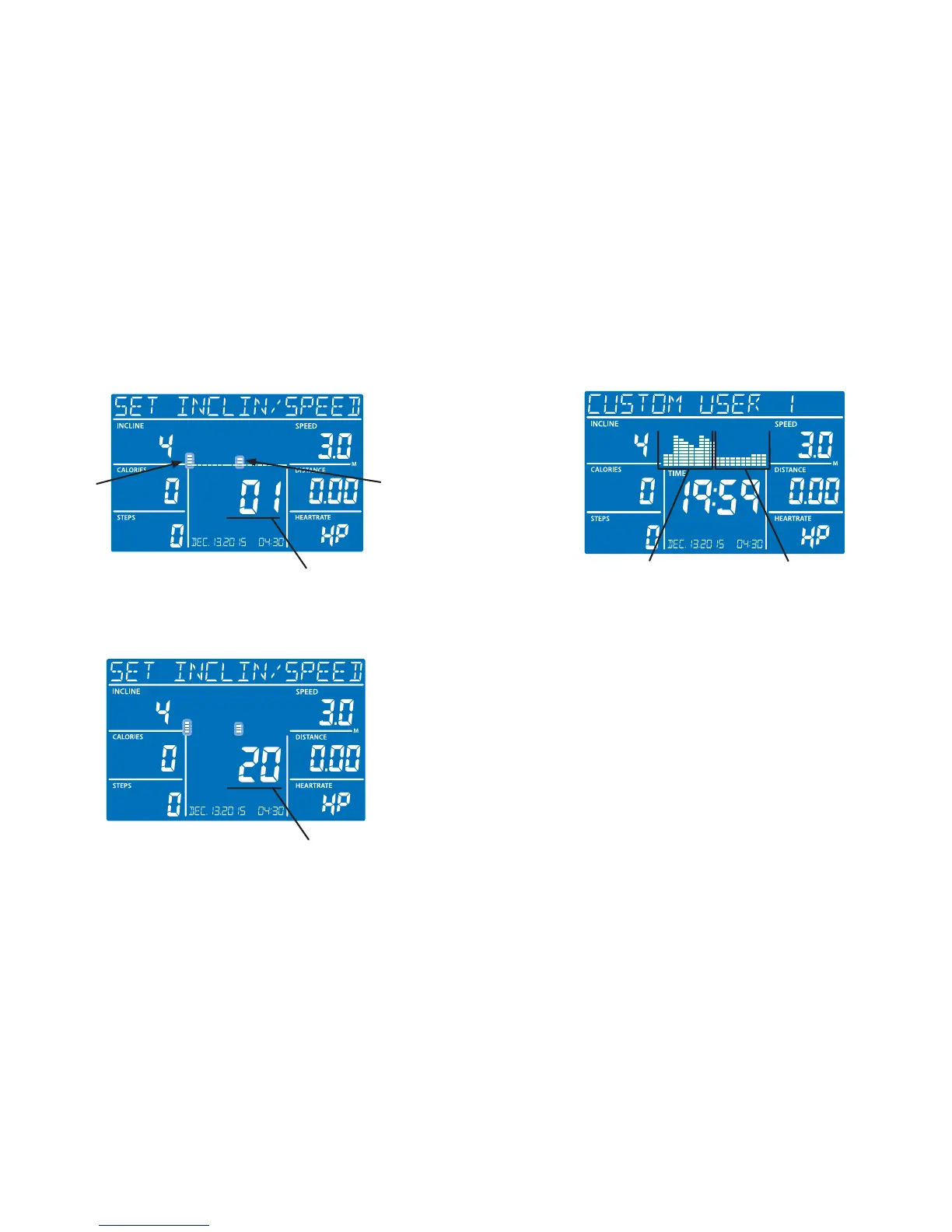
D. Set Level – Use the Incline up/down buttons to set the incline level of
the rst program segment and the Speed +/- buttons to set the desired
speed of the rst program segment. You can also use the Quickset™
buttons for Incline and Speed to expedite the process. Press Enter.
Incline
Segment
Speed
Segment
Segment Number
E. Repeat – Repeat Step D until the 20 segments are complete. The
twentieth segment will be shown in the Time window as shown below.
Segment Number
Once the program has been set up, simply scroll to the USER1 or USER2
program and press Start. Both Incline and Speed are shown in the program
matrix with the Incline on the left and the Speed on the right.
Speed matrix Incline matrix
Using Programs Using Programs






 To Next Page