5
TOOLS AND HARDWARE REQUIRED
SECTION 1 (CONTINUED)
1.2
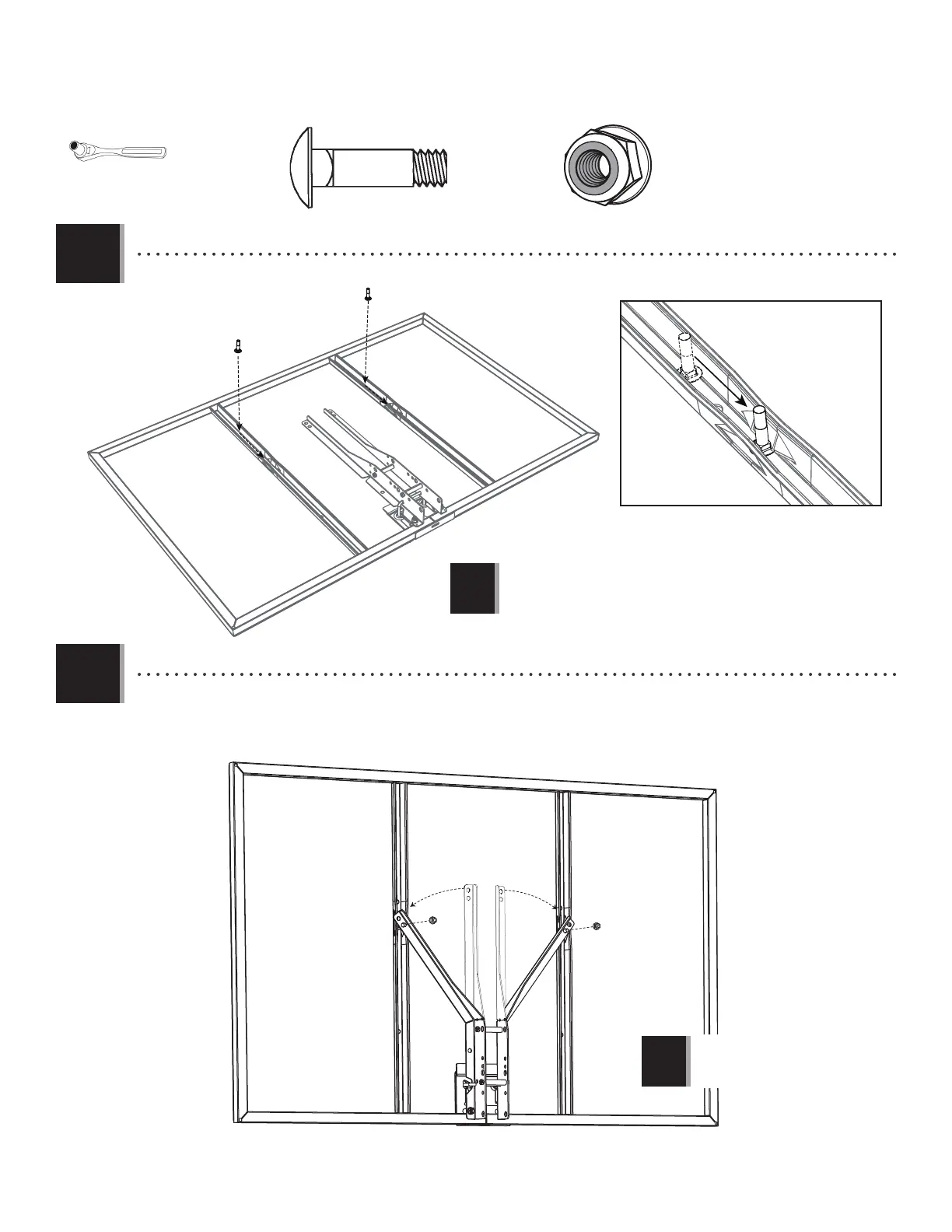
• Slide a Carriage Bolt (ABC) into the crimped slot in each backboard channel.
1.3
• Bend the Backboard Brackets (not included) so the lower holes go over the Carriage Bolts. Lifetime
®
Backboard
Brackets are designed to be bent by hand. Secure the Brackets to the Carriage Bolts through the lower of the two holes
in the Bracket.
ABC (x2)
ABC
ABC
• The Backboard Brackets
shown here are not included
with this system.
!
ABK (x2)
ABK
ABK
1/2" (≈13 mm)
• The Backboard Brackets
shown here are not included
with this system.
!



 To Next Page