
 To Next Page
P
Phyllis RobertsJul 28, 2025
How to fix LIGHT MY BRICKS LEGO 75277 when batteries have no power?
- CCarrie MontgomeryJul 28, 2025
If your LIGHT MY BRICKS Lighting Equipment batteries have no power, replace the batteries.

How to fix LIGHT MY BRICKS LEGO 75277 when batteries have no power?
If your LIGHT MY BRICKS Lighting Equipment batteries have no power, replace the batteries.
How to insert AA batteries in LIGHT MY BRICKS LEGO 75277 Lighting Equipment AA battery pack?
To ensure correct insertion of AA batteries in the AA battery pack for your LIGHT MY BRICKS Lighting Equipment, ensure the flat side of the battery should be paired with the spring side of the battery pack.
How to properly insert CR2032 batteries into a flat battery pack.
Correctly inserting CR2032 batteries into a round battery pack.
Ensuring AA batteries are inserted correctly into the AA battery pack.
Inspecting wires for detachment from LEDs or pinching between bricks.
Verifying expansion board and strip light ports for damage or bent pins.
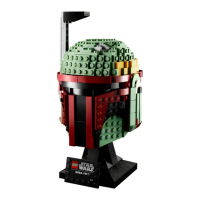
This document is an installation guide for a Light My Bricks light kit designed for the LEGO® Boba Fett Helmet #75277. The guide provides detailed instructions and troubleshooting tips to help users successfully install and enjoy their illuminated LEGO model.
The Light My Bricks light kit enhances the LEGO® Boba Fett Helmet #75277 by adding LED lighting, bringing the model to life with illuminated details. The kit includes various LED bit lights, an expansion board, and a USB power cable to create a dynamic display. The primary function is to provide aesthetic enhancement to the LEGO model, making it a more vibrant and engaging display piece. The lights are designed to integrate seamlessly with the existing LEGO structure, ensuring that the original design of the helmet is preserved while adding a new dimension of visual appeal. The kit allows for the illumination of specific areas of the helmet, highlighting its intricate details and giving it a more realistic and impressive appearance.
The installation guide emphasizes a smooth and careful installation process. It begins by outlining the package contents, which include specific types and quantities of bit lights (Large Cool White 30cm Bit Lights, Large Red 30cm Bit Lights, Red 30cm Bit Light), an 8-Port Expansion Board, and a USB Power Cable. It also lists additional LEGO pieces that may be included to facilitate the light kit's integration, such as Black Plate 1x6, Trans Red 1x1 Round Plate, Black Round Plate 1x1 w Open Stud, Black Arm Skeleton, Bent w Clips (Horizontal Grips), and Black Plate 1x1 Modified Rounded w Handle.
Before starting the installation, the guide provides crucial "Before You Begin" instructions to prevent damage to the components. These include:
The installation process is broken down into several numbered steps, each with visual aids and clear instructions. Users are guided through disconnecting existing LEGO pieces, connecting and reconnecting them with the light components, turning or flipping pieces, and managing wires by twisting or braiding them. The guide also includes "Power On Test" icons, indicating when to test the lights to ensure proper functionality at various stages of installation. This iterative testing helps identify and address issues early in the process.
The guide concludes with images of the "Final Product," showcasing the illuminated Boba Fett Helmet, demonstrating the successful completion of the light kit installation.
The "Troubleshooting" section is a critical part of the guide, designed to help users resolve common issues that may arise during or after installation. It emphasizes the delicate nature of the light kit components and the importance of careful handling.
Key troubleshooting steps include:
The guide recommends referring to an online troubleshooting video or the provided list of common causes for issues. It also directs users to the "Important things to note" section in the User Guide for detailed handling procedures to prevent damage.
Finally, the "Contact Us" section provides support information, directing users to the Frequently Asked Questions webpage or the online support portal (support.lightmybricks.com) for any inquiries regarding the online shop, products, or general questions. This ensures that users have access to assistance if they encounter problems that cannot be resolved through the troubleshooting guide. The overall structure of the guide, with its clear steps, visual aids, and comprehensive troubleshooting, aims to make the installation and maintenance of the light kit as straightforward as possible for the user.
 General
| Product Type | LED Lighting Kit |
|---|---|
| Compatibility | LEGO 75277 Boba Fett Helmet |
| Power Source | USB |
| Category | Lighting Equipment |
| Lighting Type | LED |
| Included Components | Connecting Cables |
| Product Name | LEGO 75277 Boba Fett Helmet Light Kit |