The Paradime is able to operate on either 115V or 230V AC supplies. The internal power supply links must be altered,
if appropriate, from the factory-set option. Disconnect and isolate the power supply from the dimmer.
Rackmount:-
The supply links can be seen on the near right hand corner of the main printed circuit board. Remove the existing links
and replace as shown in figs. 4A and 4B below.
Change the electronics protection fuse to the correct type and value for the chosen operating voltage, as shown below.
Wallmount:-
The supply links can be seen in the top right corner adjacent to the transformer and electronics control fuse. Change
the supply links as shown in figs. 5A and 5B.
Change the electronics protection fuse to the correct type and value for the chosen operating voltage, as shown in the
table below.
Supply VoltageFuse type/value
115V 200mA (T) Anti-surge 5mm. x 20mm., glass
230V 100mA (T) Anti-surge 5mm. x 20mm., glass
LightProcessor Paradime, all variants, version 21, September 2003
Page lll
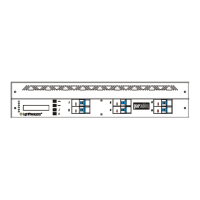
2U version
left and right, to open
Fuse
100mA (T)
CHANGING THE DIMMER FOR USE ON A DIFFERENT POWER SUPPLY VOLTAGE
Fig. 3
Fig. 4A
Fig. 4B
Fig. 5A Fig. 5B


 To Next Page