REGISTRATION USING THE ACTIVATE APP
ADDING OR REPLACING A SHAREMIKE
For users adding a Sharemike, or replacing a lost or malfunctioning Sharemike.
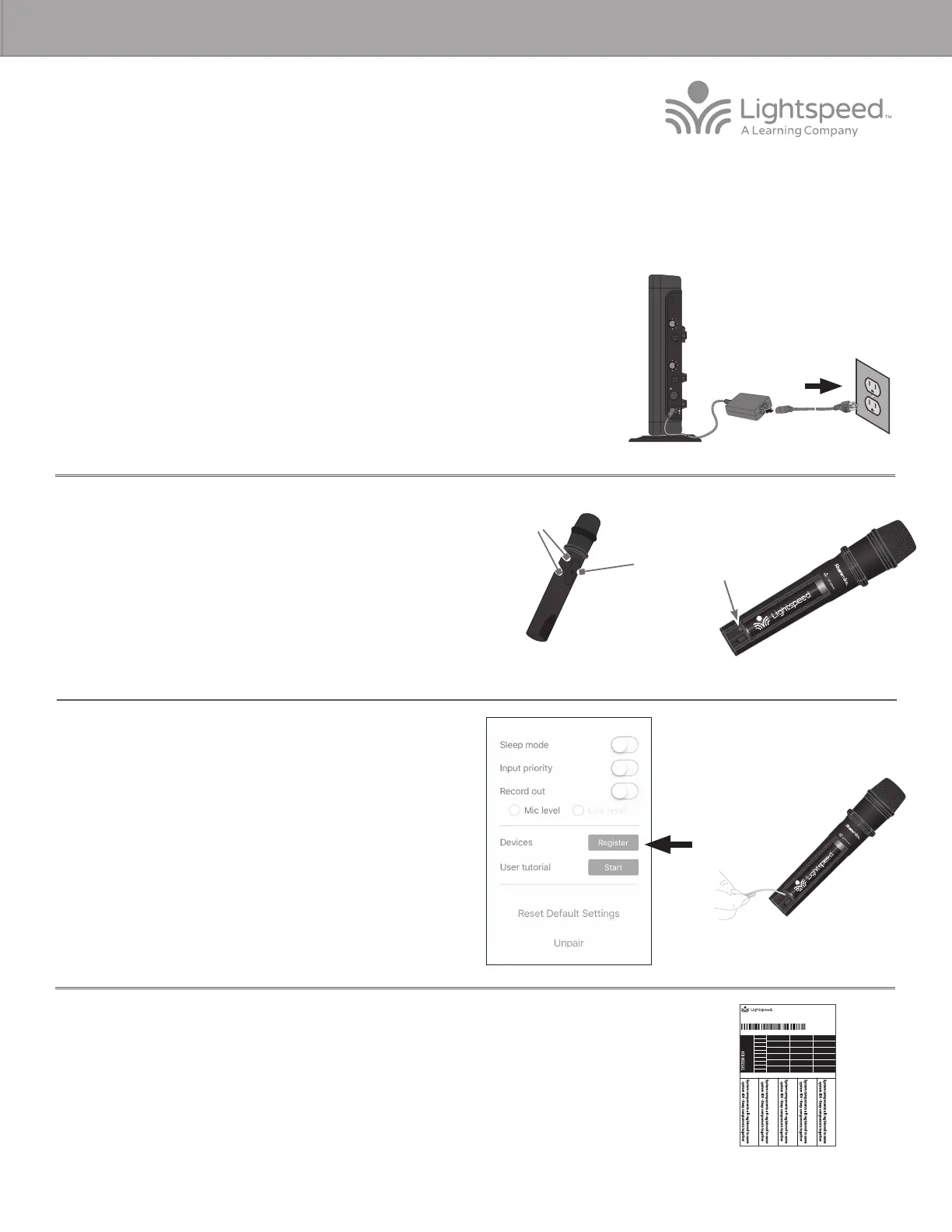
5. On your mobile device, open the Lightspeed Activate app.
6. Go to the ‘Settings’ tab and scroll down to find the ‘Register’ button and
press the button.
7. Tap the Mic 2 button to add/replace the Sharemike.
8. Follow the instructions within the app to register the new Sharemike.
9. When the Sharemike is registered, you will see the Mic 2 icon appear on
the screen.
10. The registration is complete. You can begin speaking into the Sharemike to verify there is audio.
11. Place system ID number (attached to the Redcat Quickstart Guide) on the new Flexmike.
NOTE: if at any point, the Redcat or Sharemike lights begin blinking rapidly, that indicates a
registration error. Turn o the Sharemike, then repeat steps 3-7.
SYSTEM ID#
SYSTEM ID#
SYSTEM ID#
SYSTEM ID#
RETAIN EXTRA LABELS IN THE EVENT A COMPONENT IS REPLACED OR ADDED.
Match components
to this system ID#
Apply to system components to indicate which parts are registered
as a system. Keep registered items together when storing away.
Registration ID Labels
00-01
00-01
00-01
00-01
00-01
00-01
00-01
00-01
00-01
00-01
00-01
00-01
00-01
00-01
00-01
00-01
00-01
00-01
00-01
00-01
00-01
00-01
00-01
00-01
00-01
00-01
00-01
00-01
00-01
00-01
00-01
00-01
334-0162-02-00-01
10101
Power On
Blinking lights
Sharemike
Registration
Button
REDCAT ACCESS REGISTRATION GUIDE
3. Power on the new Sharemike. Both microphone 1 and 2 blue lights should
be blinking.
4. Open the Sharemike battery compartment to reveal the registration button.
1. Start with the Redcat plugged in and powered on.
2. If replacing a Sharemike, make sure the malfunctioning Sharemike is powered o
before you begin the process.
REGISTER
AUDIO IN
MIN
MAX
AUDIO
(ALD) OUT
MIN
MAX
ON/OFF
DC INPUT
16V/2.0A



 To Next Page