5 66-UM-4KNVR-CSE-6
Chapter 1 Getting Started
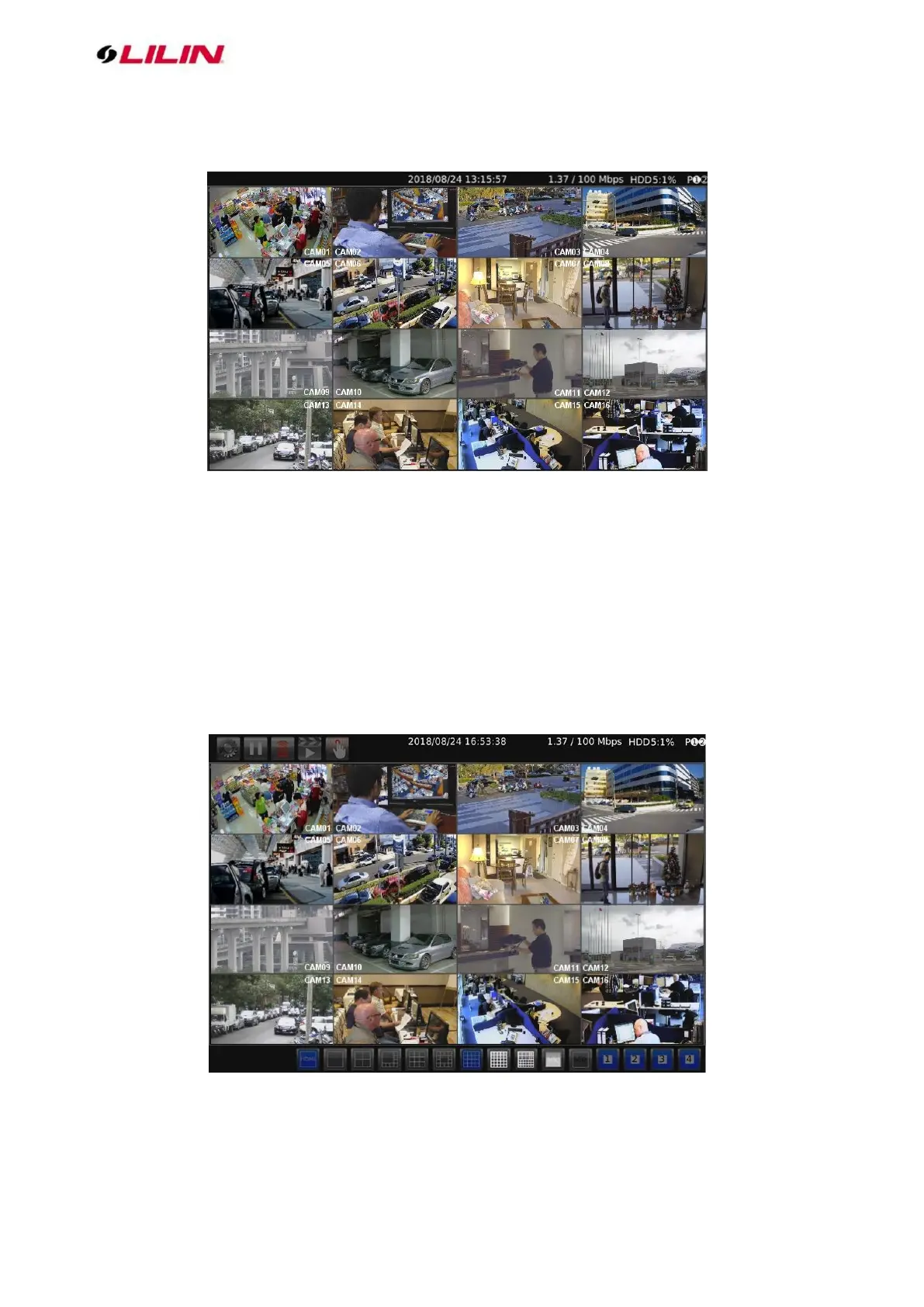
You will see the following screen through HDMI or VGA connection once you power on the NVR:
The information shown on the top of the screen is described as follows:
⚫ 0.00 / 1000 (100) Mbps: The left side of the slash is the combined transmission rate of all
channels, and the right side network speed.
⚫ HDD (1):(2)%: (1) shows the current number of hard drive being used for recording. (2) storage
capacity used.
⚫ P: Shows the power source currently used.
Note: This information is available depending on models.
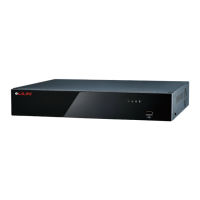
Move mouse cursor slightly to display the NVR controls (as shown in the image below):



 To Next Page