9 66-UM-4KNVR-CSE-6
Chapter 1-4 Playback / Backup
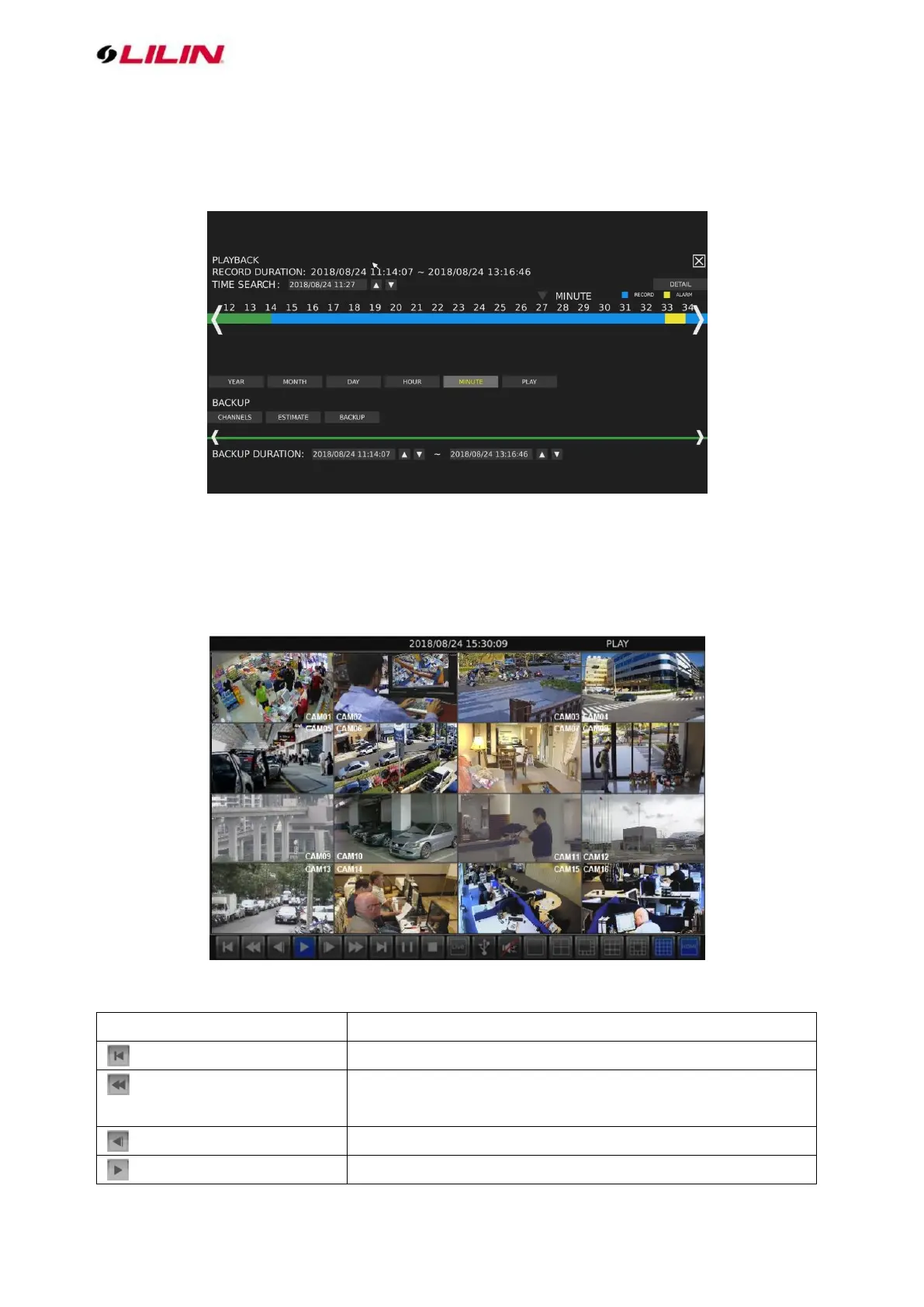
Click to enter the PLAYBACK/BACKUP page as shown below.
Chapter 1-4-1 Playback
You can expand and collapse time line by year, month, day, hour, and minute. On the upper timeline
drag and select the time you want to start playing recorded video or alarm video to enter the Playback
as following screen:
Details of the controls at the bottom of the PLAYBACK screen are described as follows:



 To Next Page