English
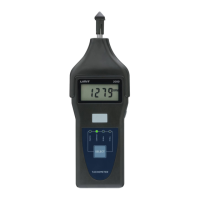
Tachometer photo measuring.
Remove upper cover. Apply a reflecting tape to the object to be
measured.
Push front button and select PHOTO with select button.
Push side button and align visible light beam to the reflecting tape.
Release side button when reading has stabilize in approx 2 seconds.
Surface speed measuring.
Apply measuring wheel to upper cover shaft.
Push front button and select M/Min or ft/Min with select button.
Push side button and lightly press the measuring wheel to the object.
Release side button when the reading has stabilize in approx 2
seconds.
Memory
Push front button once. The display shows LA and last value.
Push front button twice. The display shows UP and max value.
Push front button again. The display shows dn and Min value.


 To Next Page