7
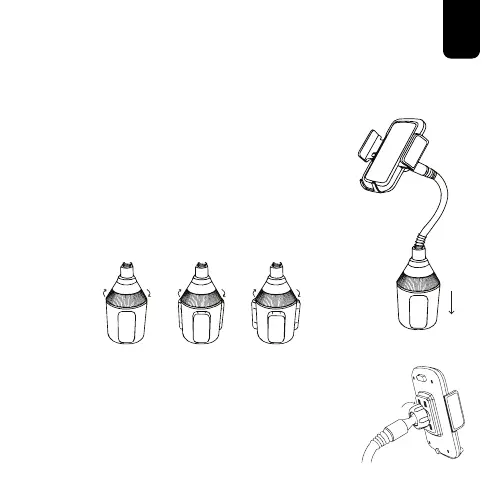
4. With the Locking Adapters fully
inserted within the Base, place the
Mount in the desired cup holder.
5. Once in place, turn the Locking
Adapter Dial clockwise until the
Locking Adapters tightly secure the
Base within the Cup Holder.
6. Once in place, adjust the Phone Mount
until the desired positioning is achieved.
Turn the Socket Cap clockwise until
tightened and the Phone Mount is
secured in place.
Operation Instructions cont’d



 To Next Page