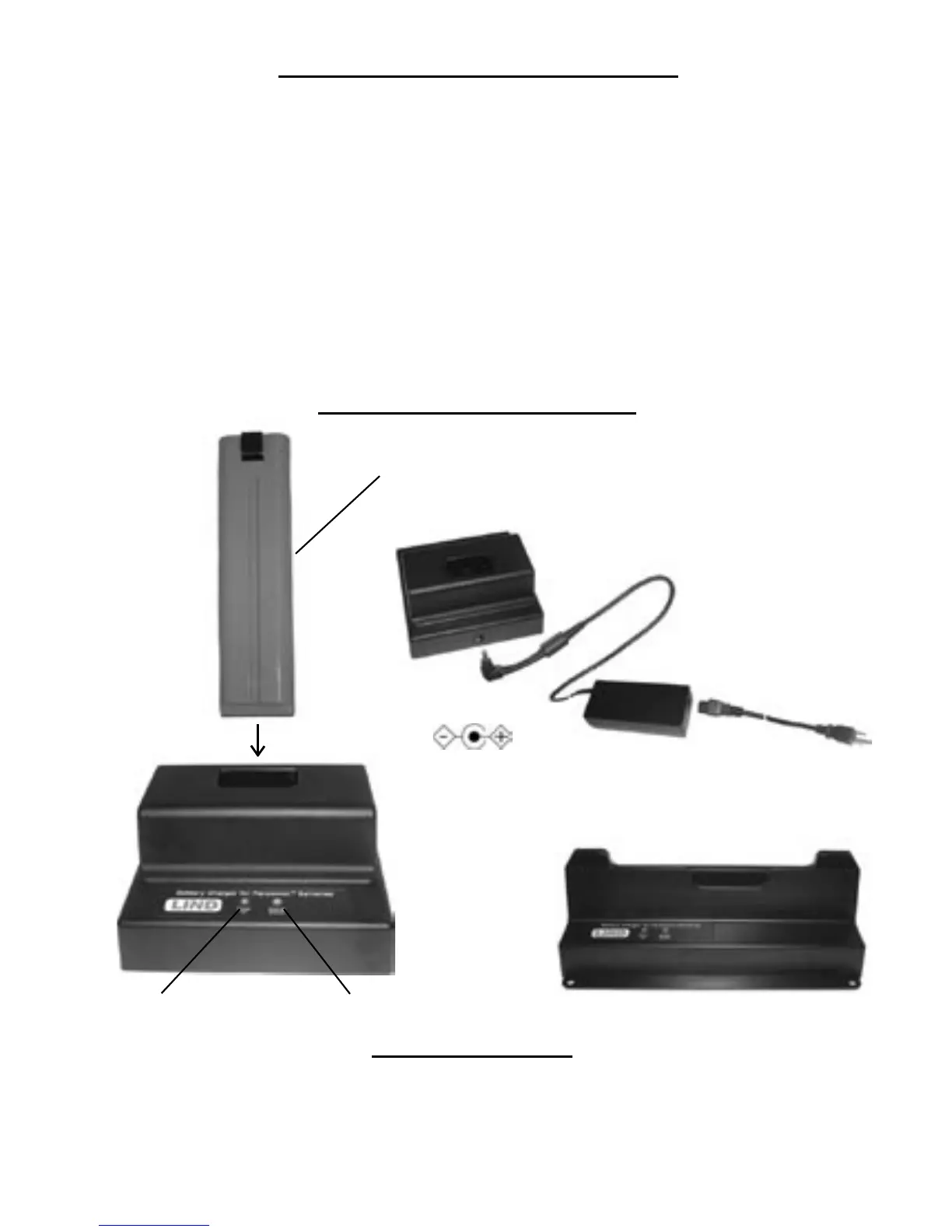
Charger Connections
BATTERY (NOT INCLUDED WITH CHARGER)
(BATTERY AND CHARGER MAY LOOK DIFFERENT THAN THE ONES PICTURED)
Charging the battery pack
Charging begins automatically after inserting a battery pack into the charger bay.
• The Power On and Charge Status indicators operate the same as when the
battery pack is charged in the computer (when the power is off). The time it takes
for each battery to fully charge depends on multiple variables; the state
of charge when inserted; the age and condition of battery; the specic battery size.
Refer to the computer reference manual for additional information.
• When more than 1 batteries are inserted in the multi-bay battery charger, they will
be charged simultaneously. The order of charge completion will depend upon the
variables mentioned above.
• The battery pack, battery charger and the AC adapter will become somewhat
warm during normal use. This is normal and is not a malfunction.
CHARGE STATUS INDICATORPOWER ON INDICATOR
*AC ADAPTER
AC CORD
DC POWER INPUT
15.1 - 16 VDC
Input Voltage: 15.1 - 16.0 VDC
Max. Charge Current: Approx. 2.5 amps per charge bay
Operating Temperature: 5º C to 35º C {41º F to 95º F}
Humidity: 30% to 80% RH (no condensation)
Indicators LED on each charge bay (Input Power present)
LED on each charge bay (Charge Status)
Technical Specication
*THE AC ADAPTER IS NOT INCLUDED WITH ALL CHARGERS.
WHEN NOT SUPPLIED, REFER TO THE CHART ON PAGE 2 TO
SELECT THE PROPER PANASONIC AC ADAPTER TO USE.
3
T4 - T5 CHARGER
BATTERY CHARGERS



 To Next Page