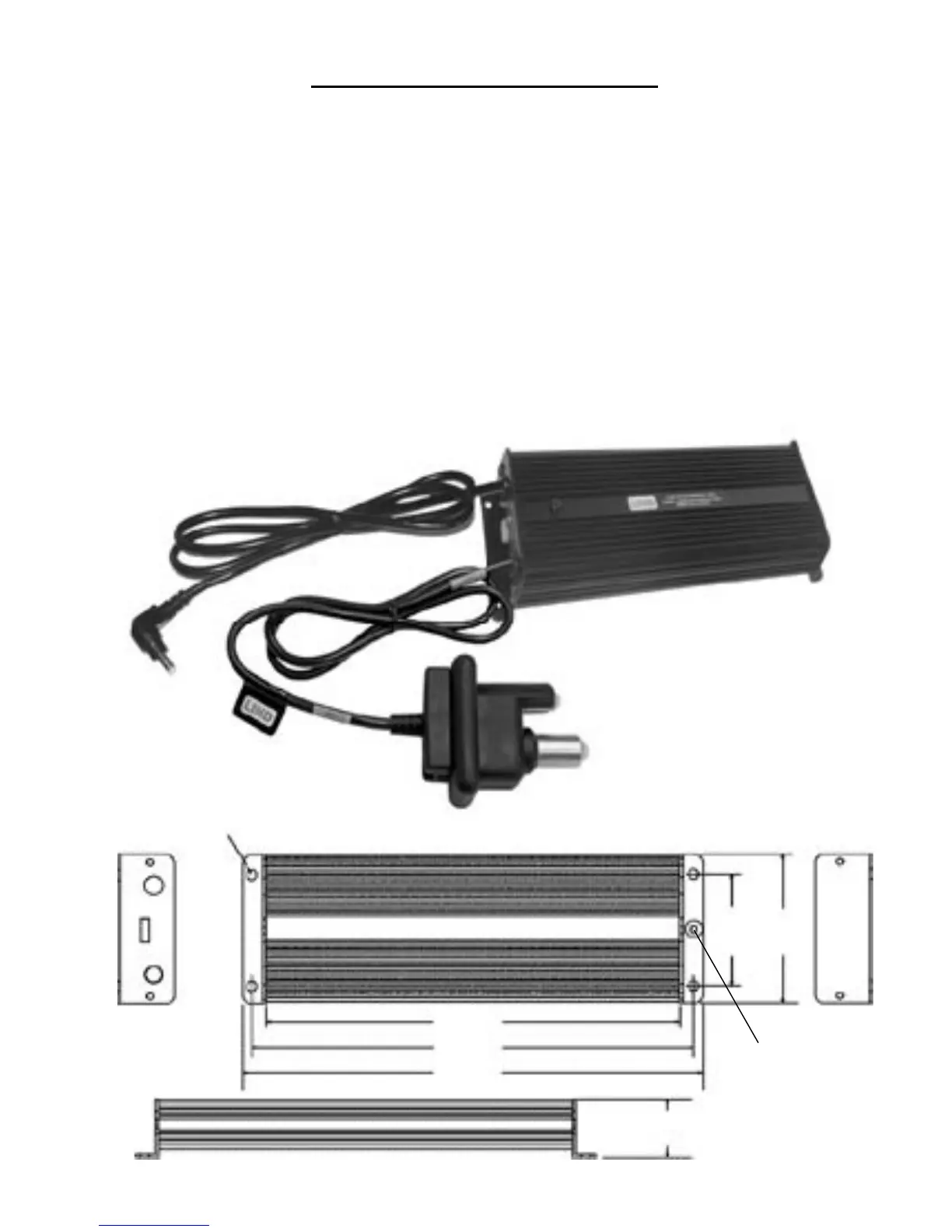
PLUG INTO
INPUT
POWER JACK
OF LAPTOP OR
DEVICE
INPUT POWER CONNECTOR
(NATO SLAVE CONNECTOR SHOWN)
Operating Instructions
Install the power adapter in a location that allows for air ow around the adapter.
Re
stricted air ow around the adapter may cause the adapter to overheat and shut down.
This is a safety feature and will not harm the adapter or your device. Do not mount the
adapter in such a way that heat can not dissipate. This adapter is not intended to be
in
stalled in the engine compartment or any other place where it can be exposed to
moisture or excessive heat.
The adapter is provided with anged ends that have pre-drilled holes for mount
ing. See
the drawing below for mounting dimensions. Choose a mounting
place where damage can
not occur to the adapter or any critical wiring in vicinity.
The input cable will be supplied with a pre-specied power input connector or it may
be supplied with bare wire leads for direct input voltage connection or to an appropriate
mating connector of user's discretion. When bare wire leads are provided, the black wire
will always be common ground (-negative). The input connector is then plugged into the
appropriate mating connector of the DC voltage source. The output cable plugs directly
into the DC input jack of the laptop or device.
.20" Diameter (5.1mm)
4 Places
2.2"
(5.6 cm)
2.98"
(7.6 cm)
8.25"
(21 cm)
8.8"
(22.4 cm)
9.18"
(23.3 cm)
1.14"
(2.9 cm)
2
*Optional
Ground
Post



 To Next Page