INTRODUCTION
Please read all of the information in this booklet before using
this unit to insure that you fully understand the capabilities of
this unit.
WARNING! To prevent fire or electrical shock hazard, do not
expose this product to rain or moisture, or remove cover or
bottom screws. No user serviceable parts inside. Refer
servicing to qualified service personnel.
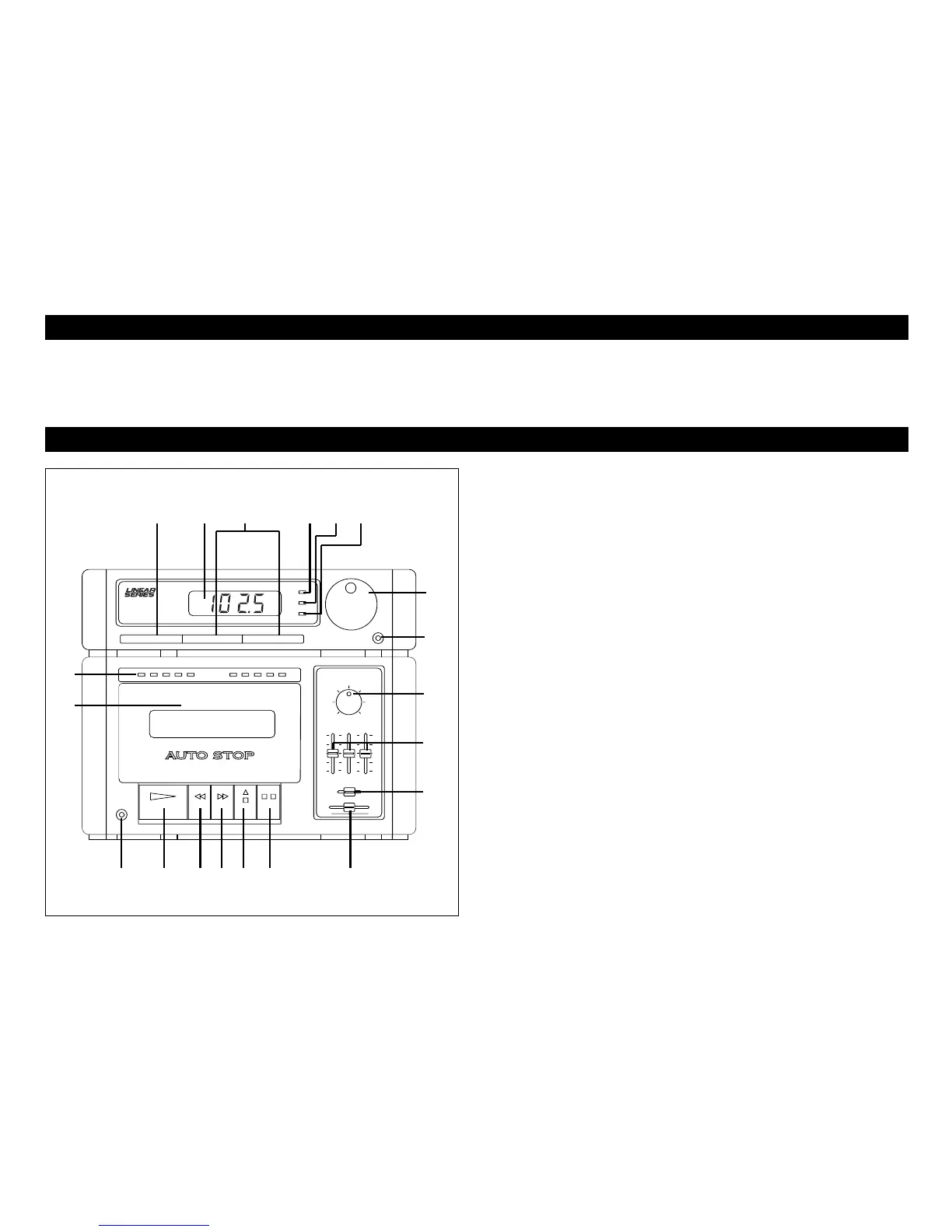
1. On/Off Button
Press this button in to turn the unit on. Press again to turn the
unit off.
2. Speaker A/B Selector Buttons
To play the "A" set of speakers, press the "Speaker A" button.
To play the "B" set of speakers, press the "Speaker B" button.
To play the "A" and "B" speakers at the same time, press both
buttons in.
3. Digital LED Display
The digital display area displays the radio station you are
listening to in exact numerals.
4. AM Indicator Light
When the tuner is receiving a AM station, the AM light will be
lit.
5. FM Indicator Light
When the tuner is receiving a FM station, the FM light will be
lit.
6. FM Stereo Indicator Light
When the tuner is receiving a strong stereo FM signal, the
stereo light will be lit.
2



 To Next Page