62
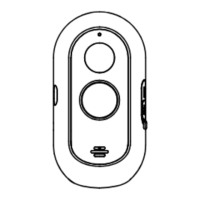
Adhesive tape
USB cable
Bracket
Power adapter
Protective strip
Adhesive tape
USB cable
Bracket
Power adapter
Protective strip
63
Other oparetion
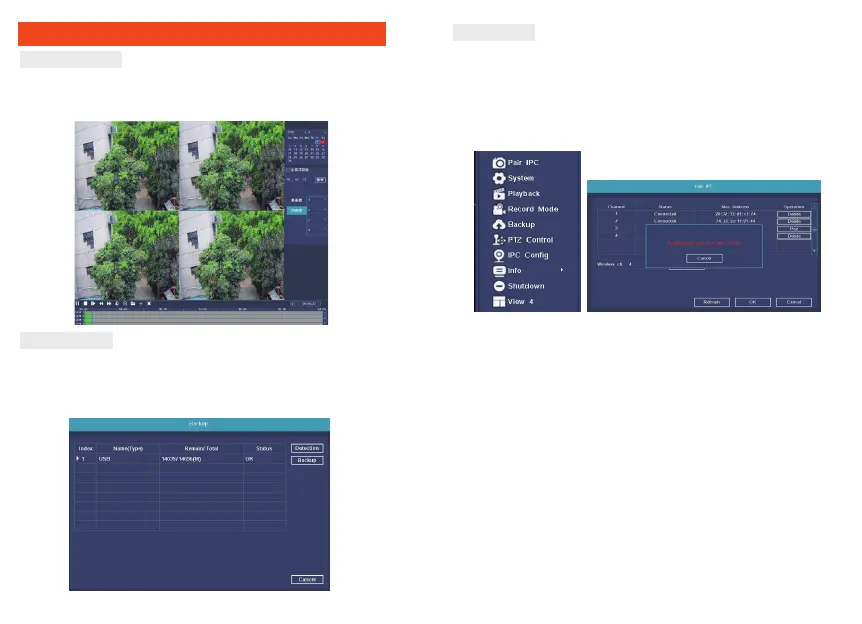
Video playback
Right click to select playback → login→ select singal or multi
channel playback mode →select channel →select date →double click
to start play record.
Video backup
Insert U disk to USB interface→Right click to select Main menu
→login→select backup→select channel→set starting time and
ending time→click “Search” button→select the record
→VHOHFWRUFUHDWHQHZƬOH→click “Backup” button to backup record.
Add camera
Add or replace wireless camera, please fellow the steps below.
1. Wait 1 minutes for camera start up.
2. Enter ”Main menu→Pair IPC” window, → Click ”Pair” button,
pop-up a textbar → Push the pair button in IPC within 5 seconds.
pair successfully when dispaly "connected" in status column.
5HSHDWWKHQFOLFN>2.@EXWWRQWRƬQLVK


 To Next Page