60 61
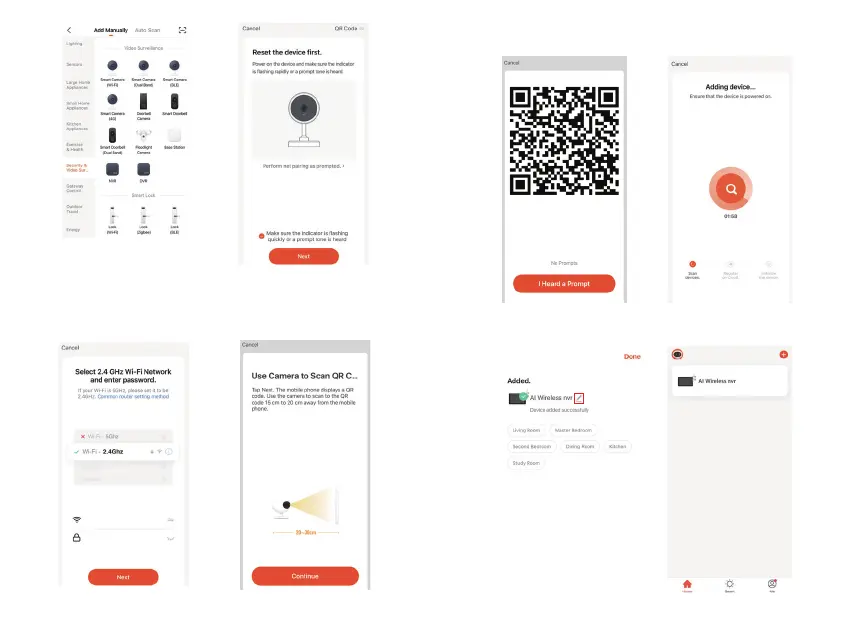
Select your device type
Step 3 Your device WiFi network will be the default network displayed.
Simply add your WiFi password or choose another network.
&OLFNFRQƬUPDQGWKHQFRQWLQXHDQGVFDQWKH45FRGHZLWK\RXU
new device.
Step 5 The device is added, and the device nickname can also be
changed in this interface.
Step 4 When you hear a beep. Click "I Heard a Prompt".
The set up should take around 30 seconds.
SKYAEEE02.4


 To Next Page