Need help?
Do you have a question about the Link2Home 6820F and is the answer not in the manual?
Lists camera, solar panel, bracket, cables, and accessories included with the product.
Important warnings regarding installation and usage for safe and proper operation.
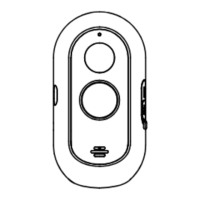
Labels and identifies key physical parts of the rechargeable WiFi camera.
Explains buttons, status lights, and connectivity aspects of the camera.
Covers battery specifications and Micro SD card support for the device.
Step-by-step guide for attaching the camera's wall mounting bracket.
Instructions for positioning and securing the solar panel for optimal charging.
Guides users on how to find and download the Link2Home Pro mobile application.
Explains Wi-Fi frequency requirements and basic router setup for connection.
Steps for reviewing and accepting the privacy policy during app registration.
Details on receiving and entering the verification code for account setup.
Instructions on device readiness and account limitations for adding the camera.
Guides through the process of adding the camera manually via the app interface.
How to navigate to and change camera settings from the home screen.
Detailed list of hardware and software specifications for the camera and solar panel.
Explains sleep mode for power saving and two-way audio communication capabilities.
Covers motion/sound detection, low battery alerts, and recording options.
Accessing live streaming and utilizing day/night mode functionality.
Guidance on proper disposal of electronic equipment according to regulations.
 General
| Two-Way Audio | Yes |
|---|---|
| Motion Detection | Yes |
| Weatherproof | IP65 |
| Storage | Cloud storage |
| Connectivity | Wi-Fi (2.4GHz) |

 To Next Page