Install the Second Adapter 2
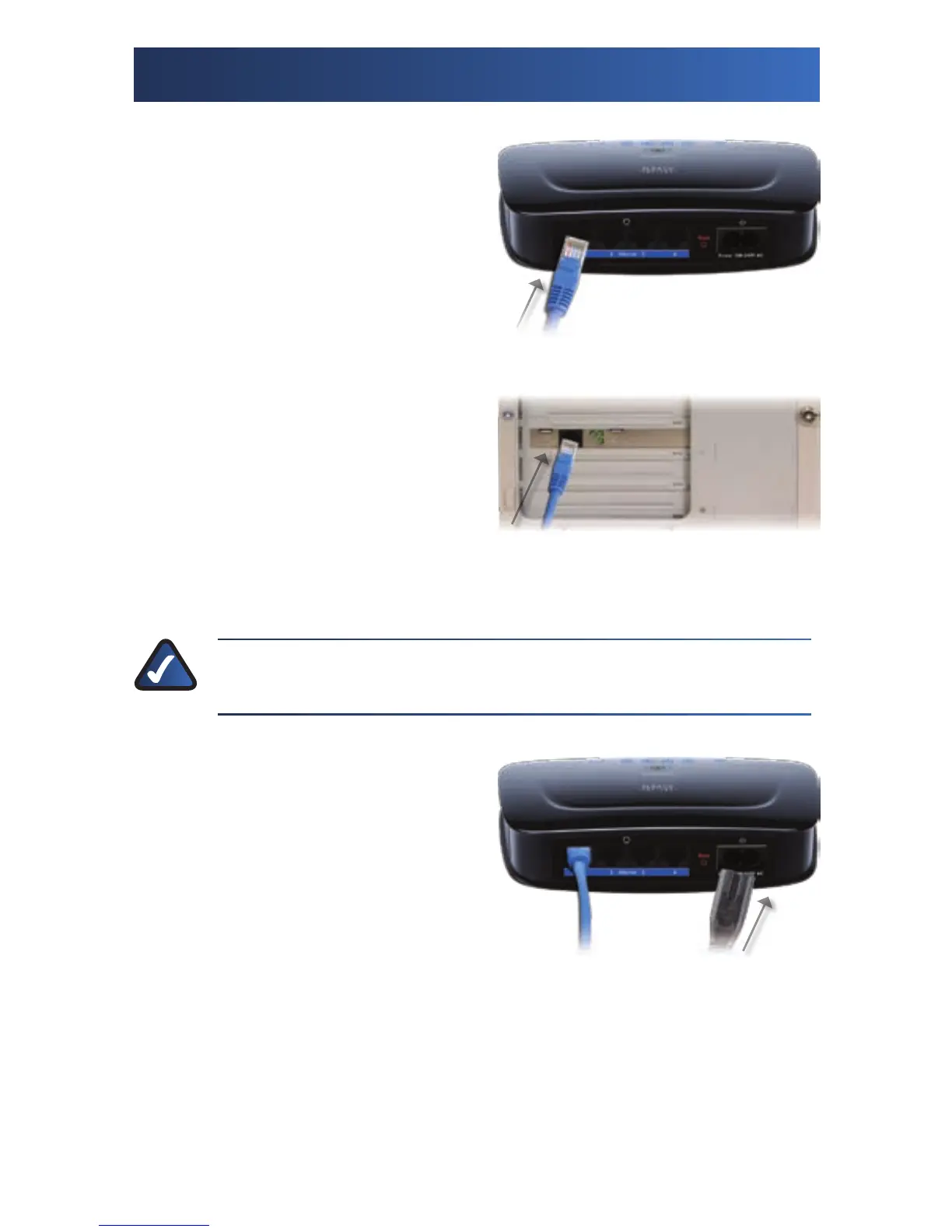
A. Connect one end of an Ethernet
network cable to an Ethernet
port on the Powerline AV
4-Port Network Adapter (model
number: PLS300).
B. Connect the other end of the
cable to the computer or other
device that you want to add to
the network.
NOTE: You can connect additional computers or other network
devices to the remaining Ethernet ports of the 4-Port Adapter.
C. Connect the power cord to
the Power port of the 4-Port
Adapter.
Connect Ethernet Network Cable
Connect Other End of Network Cable
Connect Power Cord





 To Next Page