EasyManua.ls Logo

Linksys VELOP LN1100 Series - Wi-Fi System Settings; Log In to Linksys App

Linksys VELOP LN1100 Series
35 pages
Print Icon
To Next Page IconTo Next Page
To Previous Page IconTo Previous Page
Loading...
6
Wi-Fi
S
y
s
t
e
m
S
e
tt
i
n
g
s
U
s
i
n
g
your
L
i
n
k
s
y
s
a
pp
,
you
can
v
i
e
w
or
change
your
system
s
e
tt
i
n
g
s
to make
your Wi-Fi
more
s
e
c
u
r
e
or
to
work
better
w
i
t
h
a
d
e
v
i
c
e
or
g
a
m
e
.
You
can access
s
e
tt
i
n
g
s
from anywhere
in
the
w
o
r
l
d
if
y
o
u
have an
i
n
t
e
r
n
e
t
c
o
nn
e
c
t
i
o
n
.
You
can
a
l
s
o
access
s
e
tt
i
n
g
s
u
s
i
n
g
your
router password
w
h
e
n
connected to
your
home
n
e
t
w
o
r
k
even
if you do
not have an
i
n
t
e
r
n
e
t
c
o
nn
e
c
t
i
o
n
.
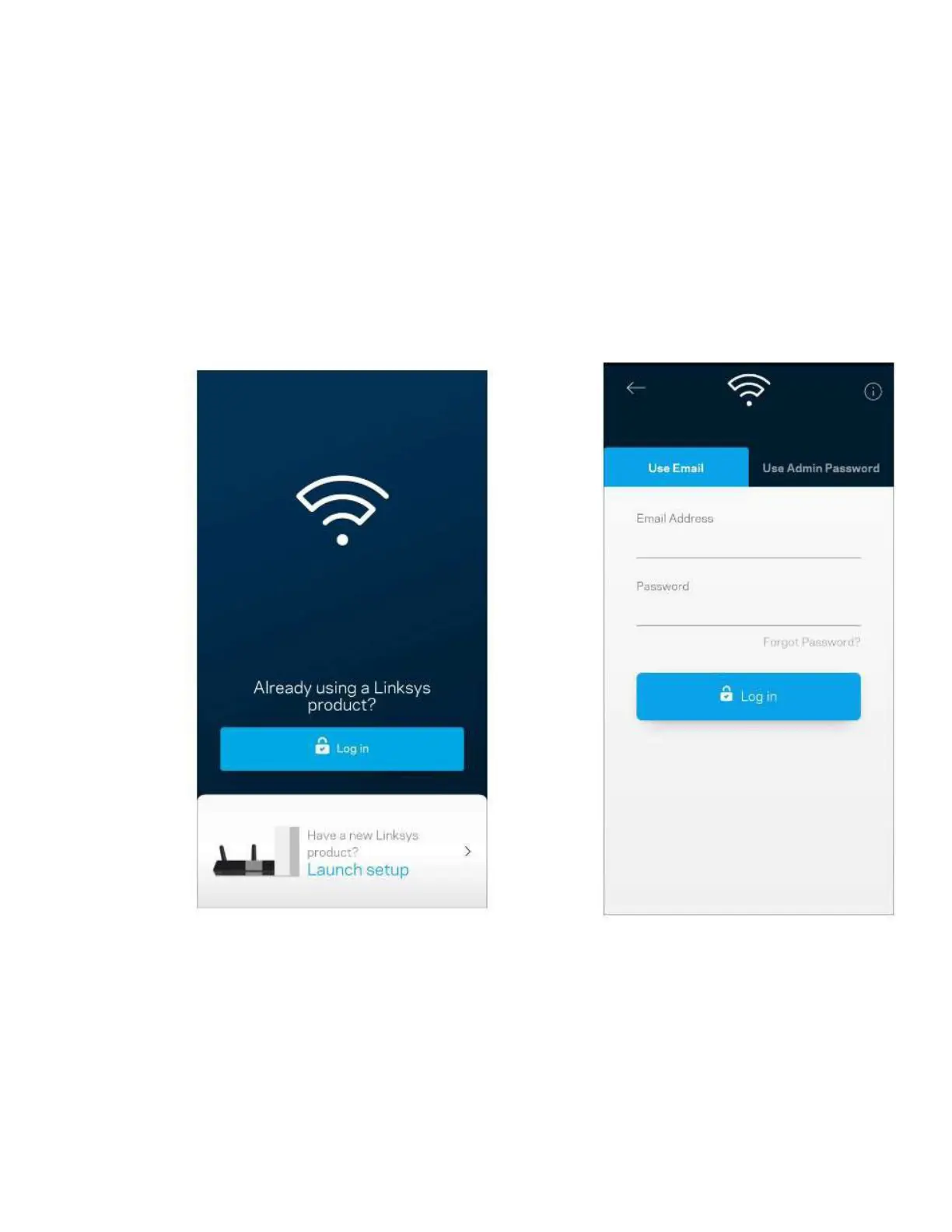
Log
in
to the
L
i
n
k
s
y
s
a
pp
1
.
Open the
L
i
n
k
s
y
s
a
pp
.
2
.
Enter the
e
m
a
il
address
you
used when
c
r
ea
t
i
n
g
your
a
cc
o
un
t
.
3
.
Enter
your
account
p
a
ss
w
o
r
d
.
4
.
Tap
Log
i
n
.

Related product manuals