The PC requirements for dBpoweramp operation are listed below. Please ensure your PC meets these requirements before proceeding to 1.2.
Windows 98, 2000, XP, Windows Vista (64 bit versions included). Linux supported through Wine. Fully Unicode compatible
Always on internet connection for metadata retrieval
Ensure your target PC is connected to the Internet.
Either run the downloaded file or insert the enclosed CD into a CD/DVD drive on the target PC and it will auto run and install all required software.
Follow the prompts and key in any required data.
Setup a folder called „Local Audio‟ will be created in C:\ and will be the default audio file storage location. After the CD rip/copy, these files can be copied to you r NAS or PC
directory that is used by the UPnP Media Server.
You will find dBpoweramp on the Linn UK Website.
Go to www.linn.co.uk then “Support” then “Downloads” then “DS Software” and at the bottom of the page you will find “dBpoweramp”
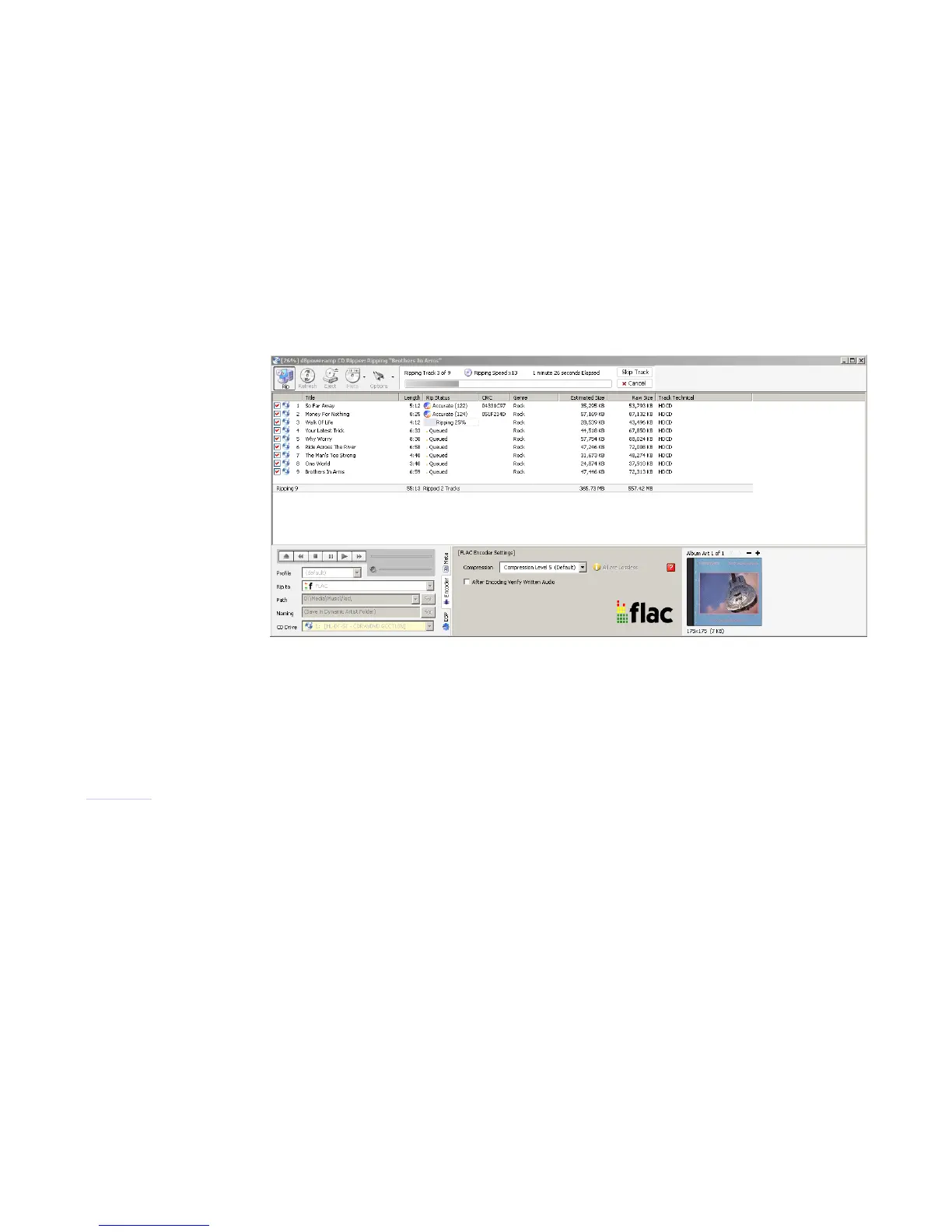
1. Run the dBpoweramp CD Ripper software
2. Insert the CD in to your PC
3. Press the RIP button in the top left Menu bar and leave the software to rip the CD
dBpoweramp (CD ripping software)



 To Next Page