KINSKY Desktop CARA family (To control your DS from a PC) 2/3
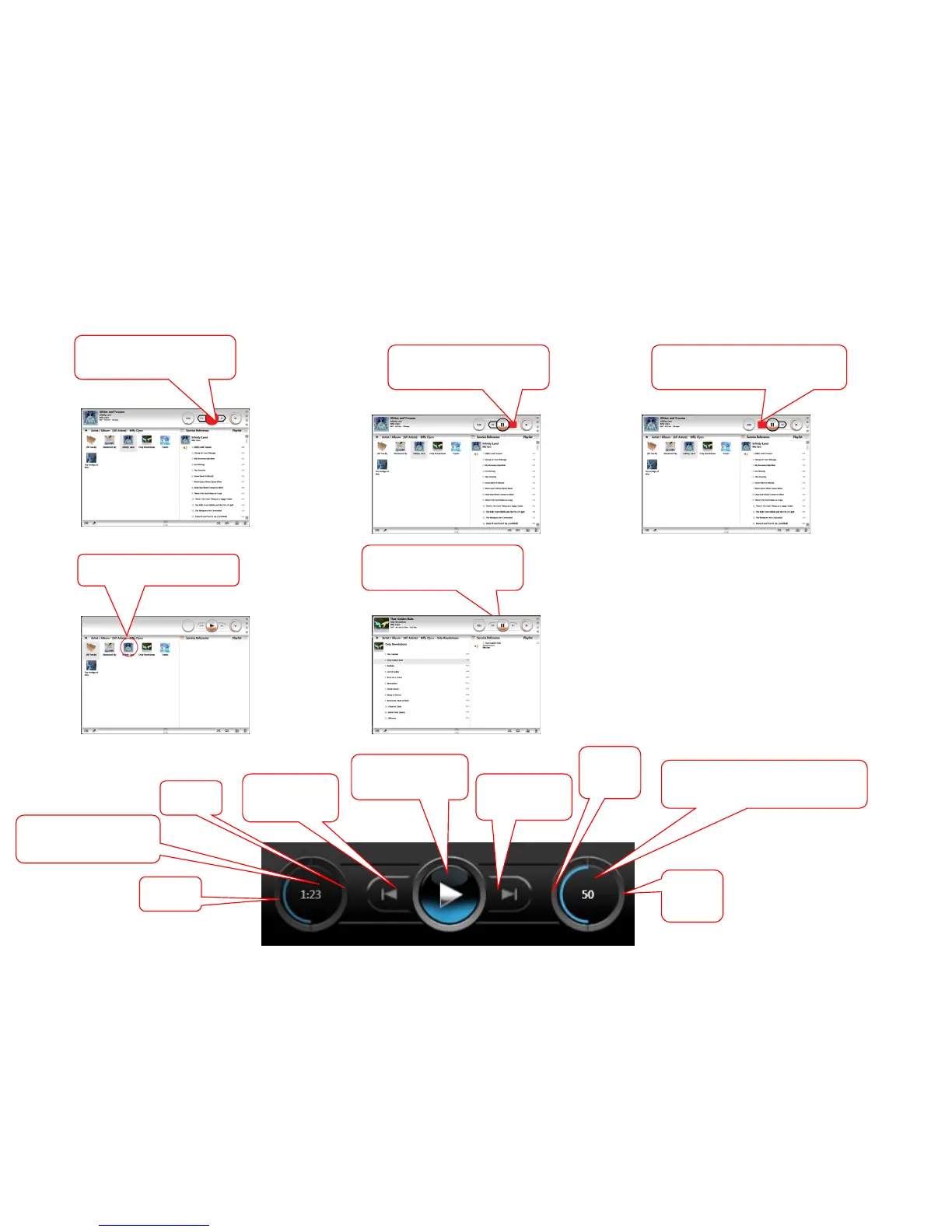
9c. or Drag the Album to the SKIP-
symbol to add to the end of the existing
playlist
9a. Drag the Album to the Play
button, the Linn DS will play
this album
9b. or Drag the Album to the
SKIP+ symbol to play next
Then drag the track to PLAY ,
Skip+ or Skip- buttons as per
point 9a,b or c
To play a single track, click on
the Album
To select a single track ..
To control volume and mute control
Volume
DOWN
key
Volume
UP
key
Volume number, in this case volume =50
press button for MUTE /UNMUTE key
Search
back
Search
forward
Next Track &
Play track/Album
next
Last Track &
add track/Album
to end of playlist
PLAY / PAUSE
& play dragged
track/Album now
Track time
Press button to toggle with
track time remaining



 To Next Page