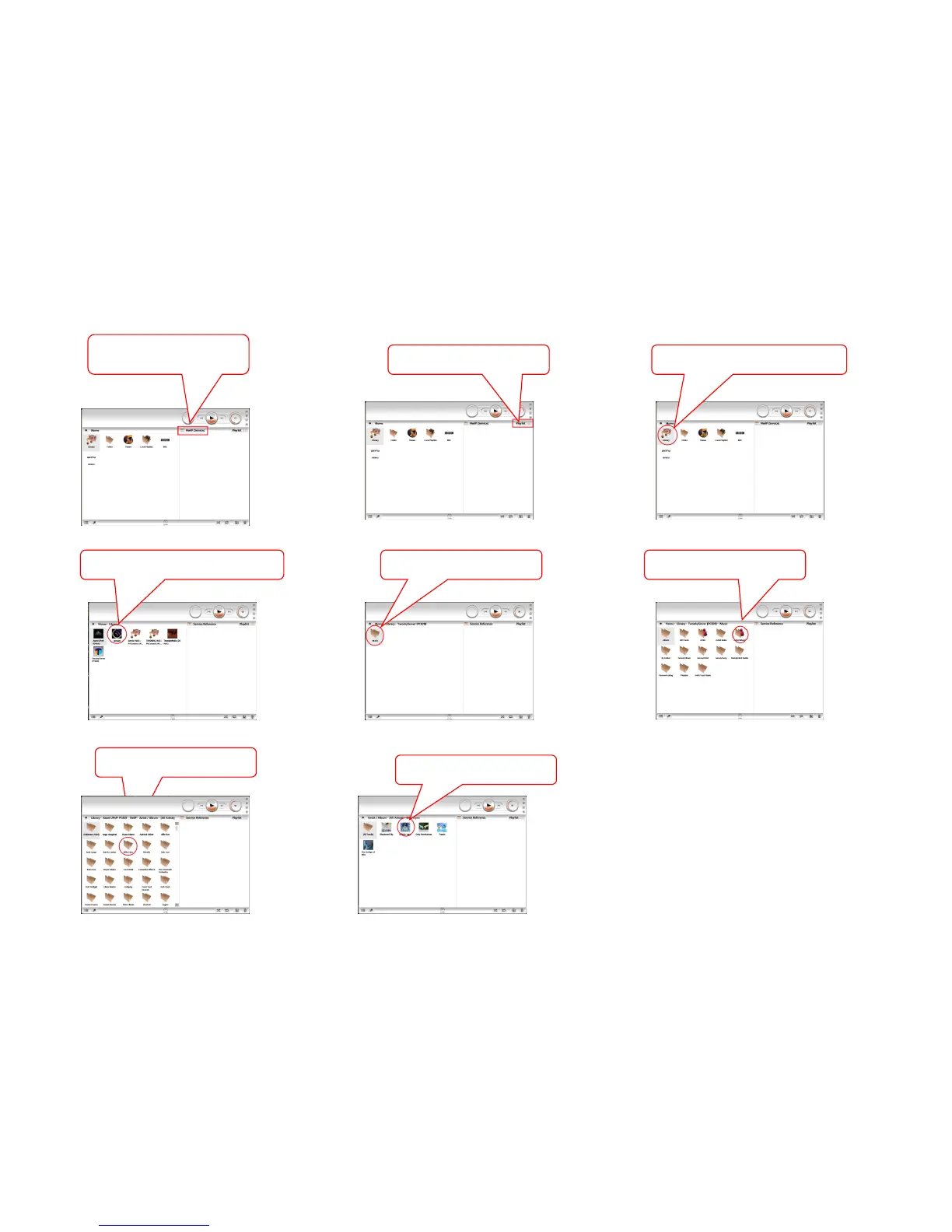
KINSKY Desktop DAVAAR family (colours inverted for clarity) 1/3
2 Select the DS source name
6. Select a Music listing For
example.“Artist/Album”
8. Select the Album you wish to
listen to
1.Open Kinsky Desktop on your
Room name
4.Click on a Music source / library
3.Click on the library icon. This will
show you all of your Music sources
7. Select the Artist you wish to
listen to
........
5. Click on the “Music” folder



 To Next Page