31
Hotel Mode: turn on/off Hotel Mode.
Source Lock: turn on/off the lock of available sources.
Default Source: set the default source.
DTV Channel Type: set the DTV channel type.
Default Prog: set the default digital program.
Default Volume: set the default volume level.
Max Volume: set the maximum volume level.
Clear Lock: Clear above settings.
USB Clone to TV: clone data from USB device.
TV Clone to USB clone data to USB device.
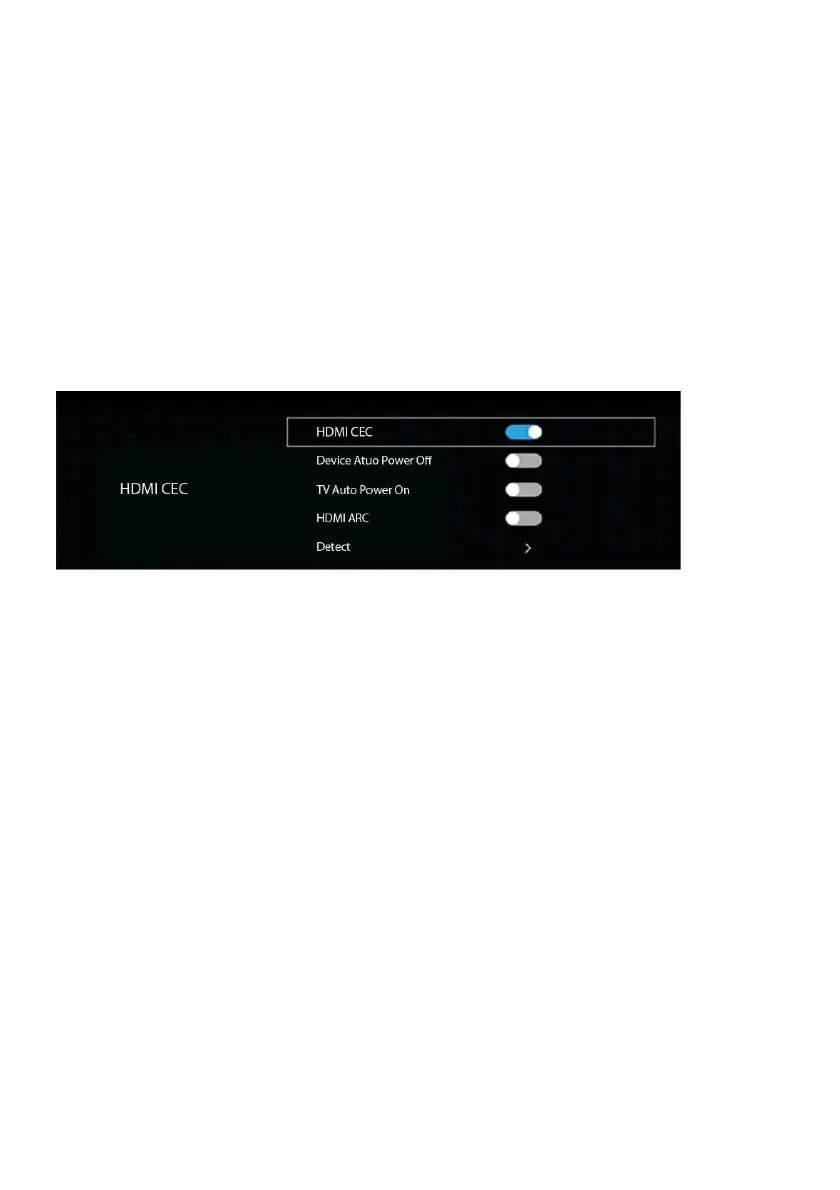
7.4 HDMI CEC
To use the HDMI CEC function:
- Make sure the HDMI device (Amplifier, etc.) is connected correctly.
- Press the SOURCE button on the remote control to select the HDMI input source.
HDMI CEC: turn on/off HDMI CEC.
Device Auto Power Off: if this function is enabled, external connected CEC device will
power off automatically when turn off this TV.
TV Auto Power On: if this function is enabled, this TV will power on automatically when
turn on external connected CEC device.
HDMI ARC (Audio Return Channel): if this function is enabled, the users can use external
amplifier or audio decoding device which featured with ARC.
Detect: detect available device.



 To Next Page