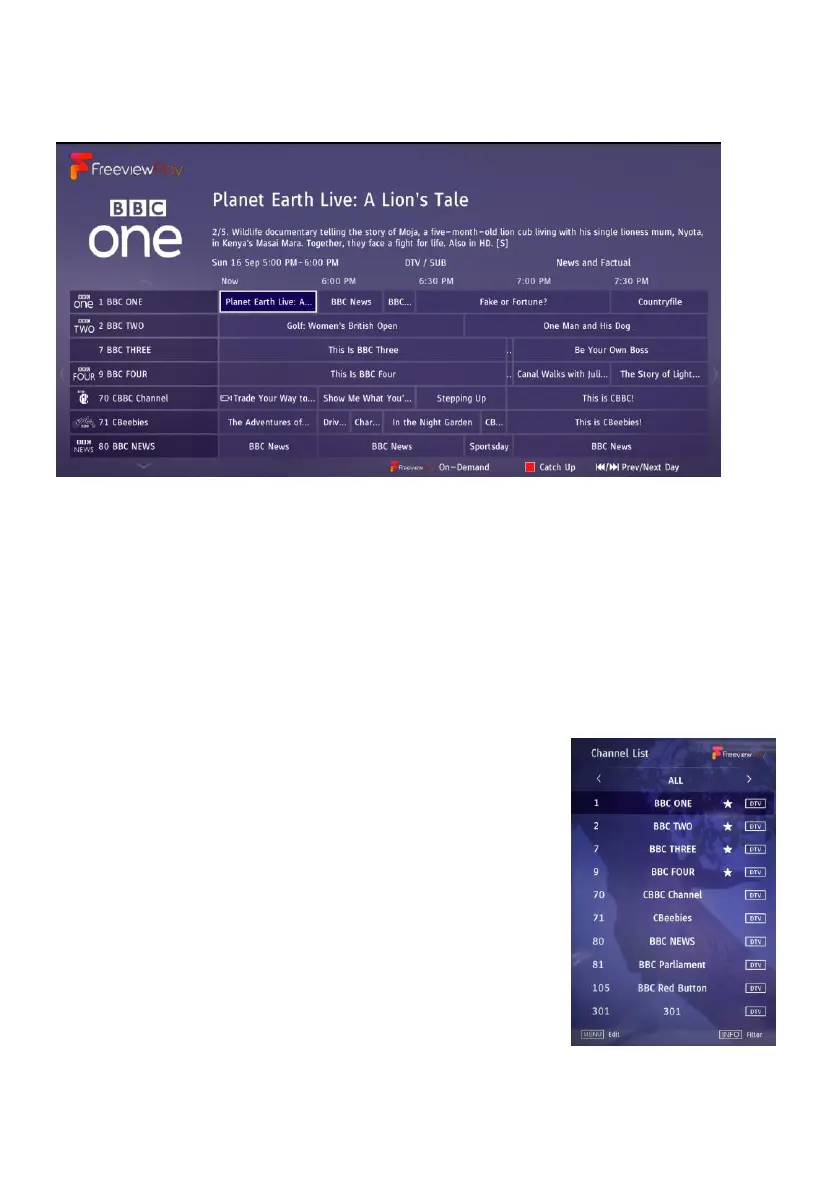
TV GUIDE (FOR DTV MODE ONLY)
- Press the GUIDE button on the remote control to display the programme guide.
- Press the UP/DOWN navigation button to select a preferred program
- Press the LEFT/RIGHT navigation button to switch between the left column and right
column.
When a program is highlighted on the right column, press OK button to open a menu:
- Press the UP/DOWN button to select an option.
- Press REC button to schedule a recording for the selected program.
- Press RED button to switch between on-air programs and catch-up programs.
QUICK SELECT
To quickly find an available channel, press the OK button on
the remote control to enter the Channel List menu page.
- Press the UP or DOWN navigation button to select a
preferred channel.
- Press MENU button to enter Edit mode and then you can add
FAV, lock, delete or skip a channel.
- Press the OK button to confirm the selection.



 To Next Page