● Be sure to press STANDBY button to set the player to the standby mode and disconnect
the power plug before maintaining the player.
● Wipe the player with a dry, soft cloth.
● If the surface is extremely dirty, wipe clean with a cloth which has been dipped in a weak
soap-water solution and wrung out thoroughly, and then wipe again with a dry cloth.
● Never use alcohol, benzene, thinner, cleaning fluid or other chemicals. And do not use
compressed air to remove dust.
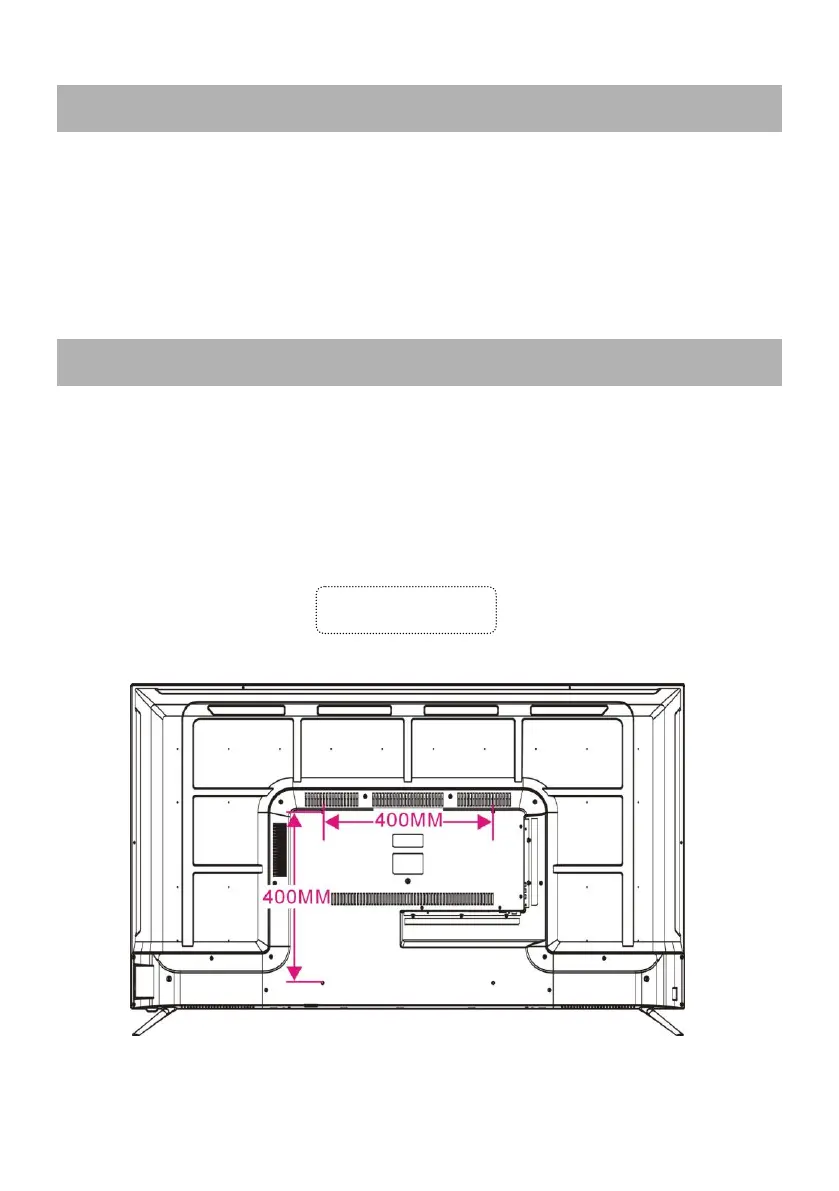
● Contact a professional for assistance when wall mounting your TV. We are not
responsible for any damage to the product or injury to yourself, if you mount the TV on your
own.
● Do not wall mount the TV while TV is turned on. It may cause personal injury due to
electric shock.
● Use standard M6*12mm screws (4 pieces) to mount this TV.



 To Next Page