b) Press GREEN button on remote control and use number buttons to input the password if
“Lock Channel” is on. Then press GREEN button to lock/unlock a program.
c) Press YELLOW button on remote control to add/remove skip mark.
d) Press BLUE button on remote control to enter MOVE mode. Then use UP/DOWN
navigation button to select preferred position and press OK button to move it.
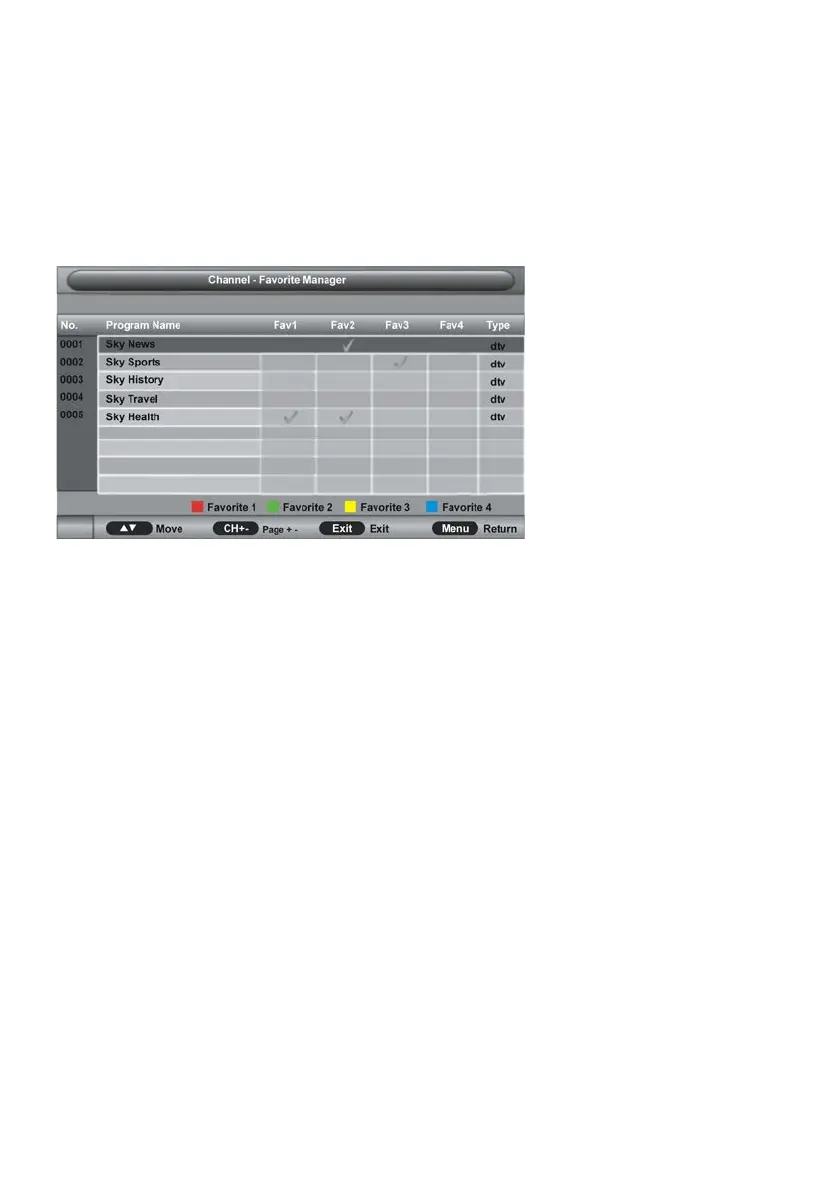
3.2 Favorite Management
- Press UP/DOWN navigation to select preferred program.
a) Press RED button on remote control to add highlighted channel to Favorite 1 list.
b) Press GREEN button on remote control to add highlighted channel to Favorite 2 list.
c) Press YELLOW button on remote control to add highlighted channel to Favorite 3 list.
d) Press BLUE button on remote control to add highlighted channel to Favorite 4 list.
3.3 Country
This item is used to select the country that you are living in.
3.4 Auto Search
- Press UP/DOWN navigation button to select this item and press OK or RIGHT navigation
button to enter submenu.
- Then press UP/DOWN navigation button to select All, DTV or ATV and press OK or RIGHT
navigation button to enter a dialog box. Select OK to start auto searching; select Cancel to
cancel this operation.



 To Next Page