31
Skip to next/previous picture
Press button to skip to the next picture or button to skip to the previous picture. If no key
is pressed for 3 seconds, it will skip to next picture automatically.
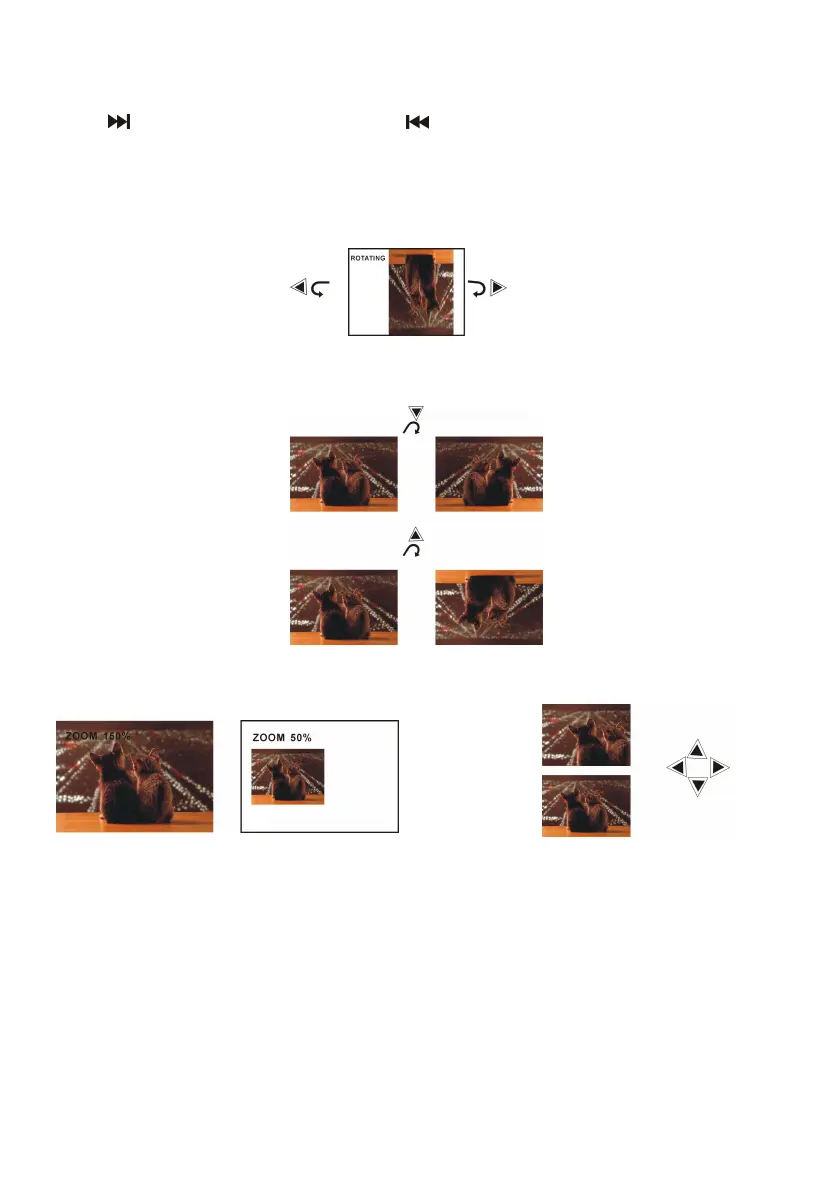
Rotating pictures
- Press RIGHT navigation button to rotate the picture clockwise.
- Press LEFT navigation button to rotate the picture counter-clockwise.
Flipping pictures
Press UP navigation button to flip the picture vertically.
Press DOWN navigation button to flip the picture horizontally.
Picture Shrink/Zoom
Press ZOOM button repeatedly to enlarge or shrink picture to 50%, 75%, 100%, 125%, 150%
and 200%.
If the picture is enlarged, you may press navigation buttons to pan across other portions of the
picture.



 To Next Page