6
MAIN UNIT
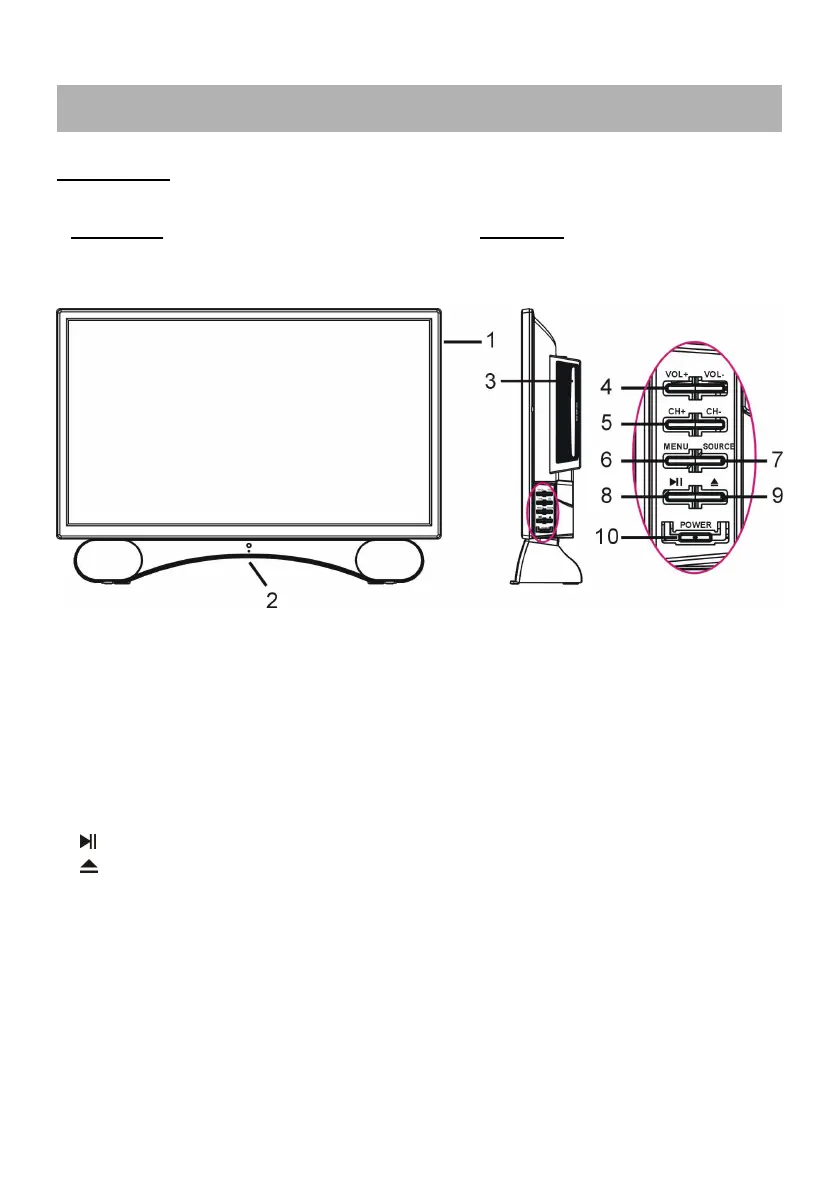
1. LED display screen
2. Remote control sensor / Power indicator - In standby mode the indicator light is red; when
switching on the unit the indicator light is blue color.
3. Disc slot- To insert a disc according to the silk screen on the side of this slot.
4. VOL +/- button- To increase/decrease the volume level or move left/right.
5. CH +/- button- To select next/previous channel or move up/down.
6. MENU button- To enter menu setting page.
7. SOURCE button- To select the input source.
8. - To play or pause playing (DVD).
9. - To open or close the disc compartment.
10. POWER button- To turn the TV ON/OFF.
GENERAL PARTS
Front View Side View



 To Next Page