– – – –
26
27
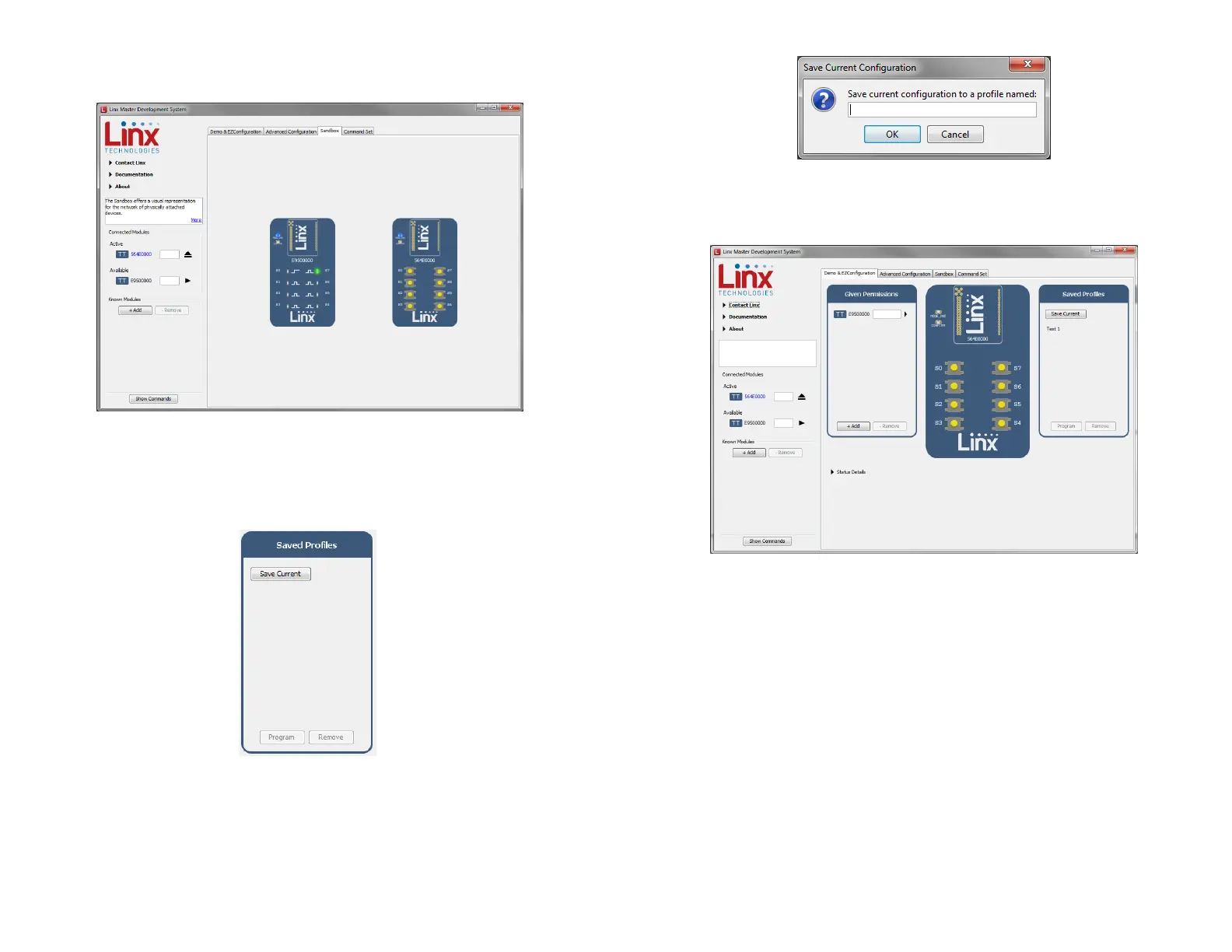
Full system operation is demonstrated by clicking on the Sandbox tab
(Figure 32).
These configurations can be saved as a profile for recalling or programming
into other modules. The Demo & EZConfiguration tab has the profile
window (Figure 33).
Clicking the Save Current button brings up a prompt asking for a name of
the profile (Figure 34).
Figure 32: The Master Development System Software Sandbox
Figure 33: The Master Development System
Software Saved Profiles Window
Once saved, the profile appears in the window, as shown in Figure 35.
To apply a profile, select it from a list and click the Program button. Clicking
the Remove button removes it from the list.
Figure 34: The Master Development System Software Save Profile
Figure 35: The Master Development System Software with a Saved Profile


 To Next Page