13
Using the touchpad
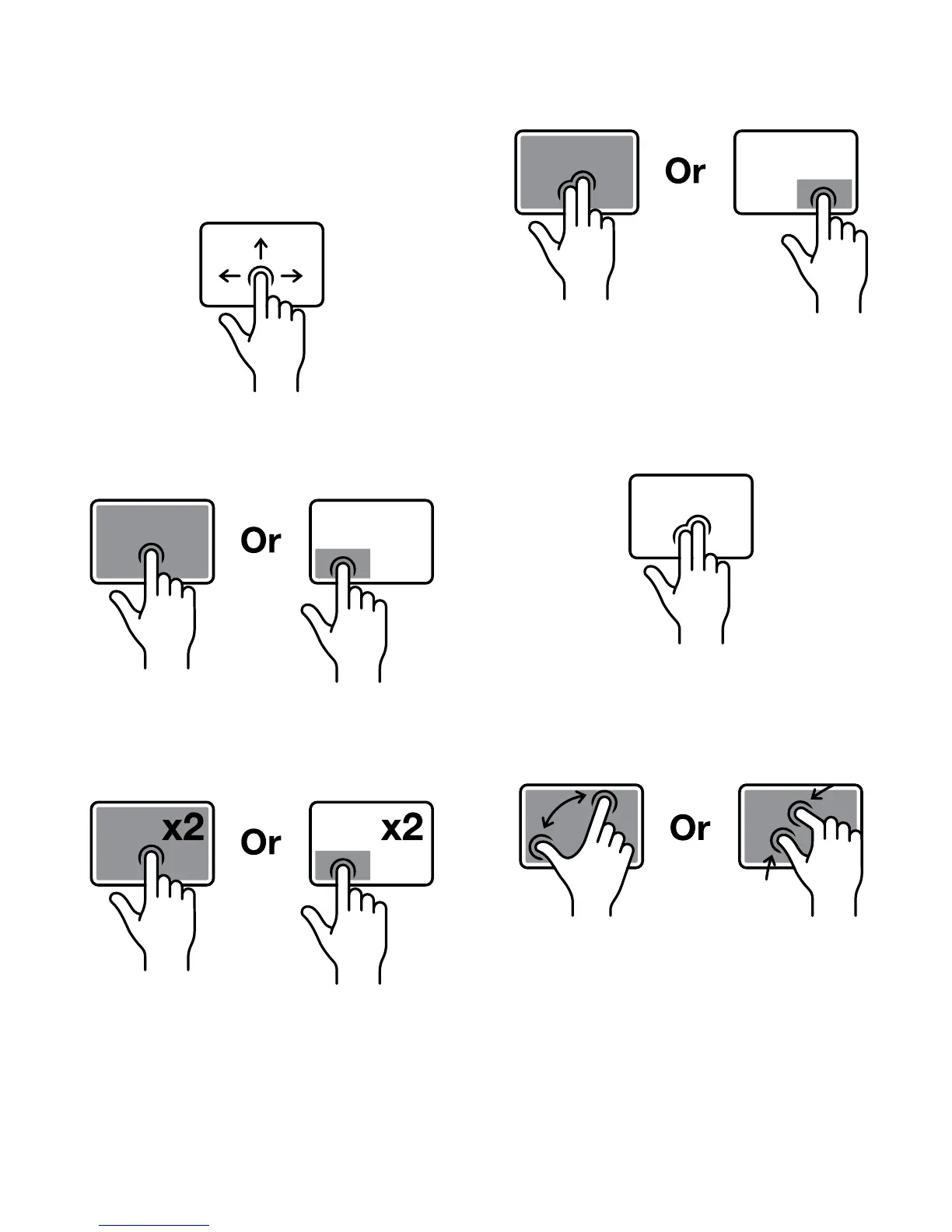
The multi-gesture touchpad allows you to navigate
Windows without the need of a mouse:
Moving
To move the cursor, move your finger around the
touchpad
Clicking
To click, tap on the touchpad once or press the
left-click button
Double-clicking
To double-click, double-tap on the touchpad or press
the left-click button twice
Right-clicking
To right-click, tap on the touchpad with two fingers
or press the right-click button
Horizontal or vertical scroll
To scroll horizontally or vertically in the same way that
a mouse wheel can be used, tap on the touchpad
with two fingers and slide either up/down or left/right
on the touchpad.
Zooming in or out
To zoom in to an image, map or part of a webpage
spread two fingers apart on the touchpad. To zoom
out, pinch two fingers together.


 To Next Page