10
Using the kickstand
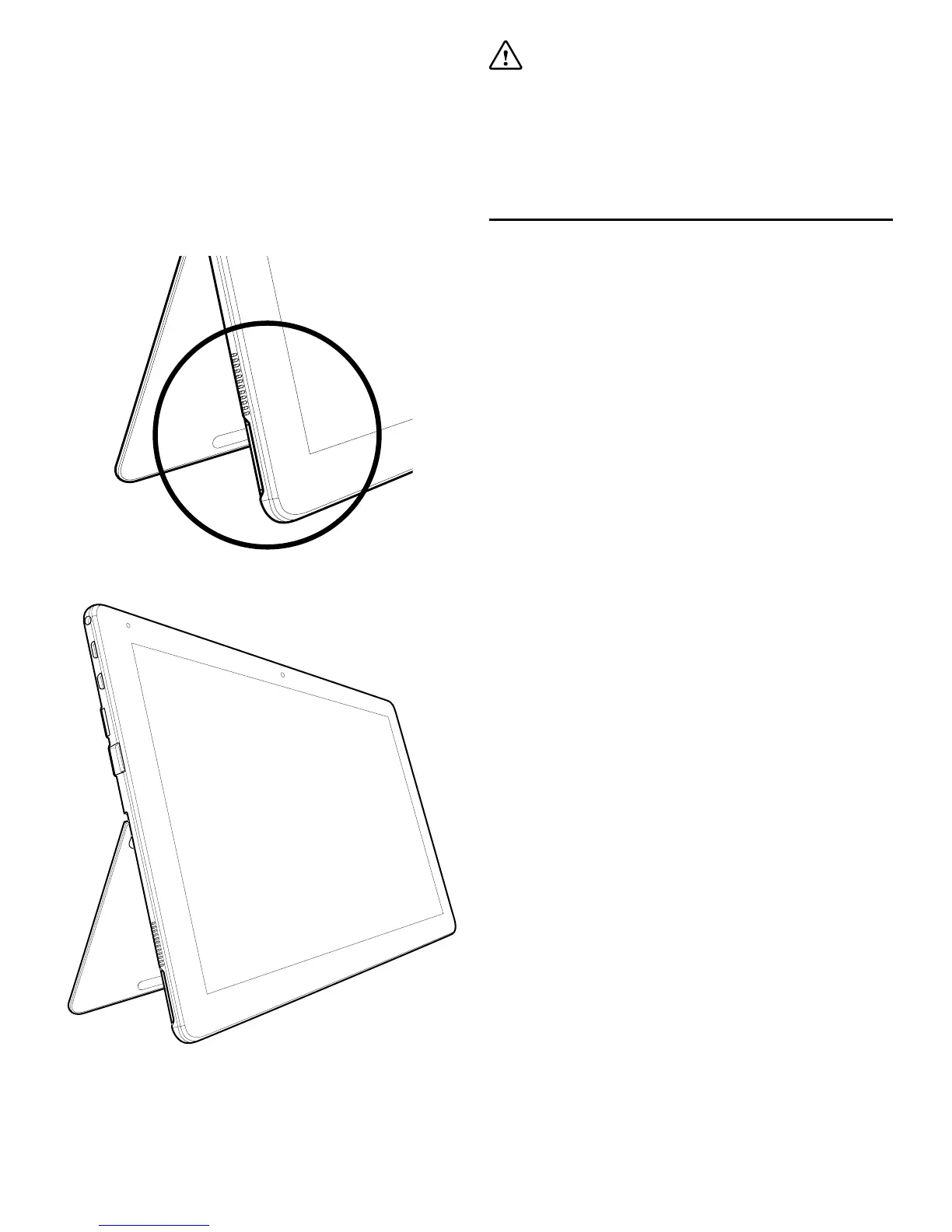
The integrated kickstand can be used to position the
tablet to a more suitable viewing angle to make using
the tablet easier.
To use the kickstand, locate the recess in the bottom
left and bottom right corners, towards the rear of the
tablet, and push or pull the tablet stand until it clicks
into the desired position.
Important: Do not use excessive force when
setting the kickstand angle or push down on the
tablet when stood using the kickstand. This may
damage the tablet and can cause the kickstand to
stop working correctly.
Using Windows 10 Home
For a quick introduction to Windows 10 Home and
up-to-date guides to help you get more from your
tablet, please visit our support page at:
support.linxtablets.com


 To Next Page