Rev: 08.24.21 Page 6 CCD-0004349
Operation
Fixed Faucet
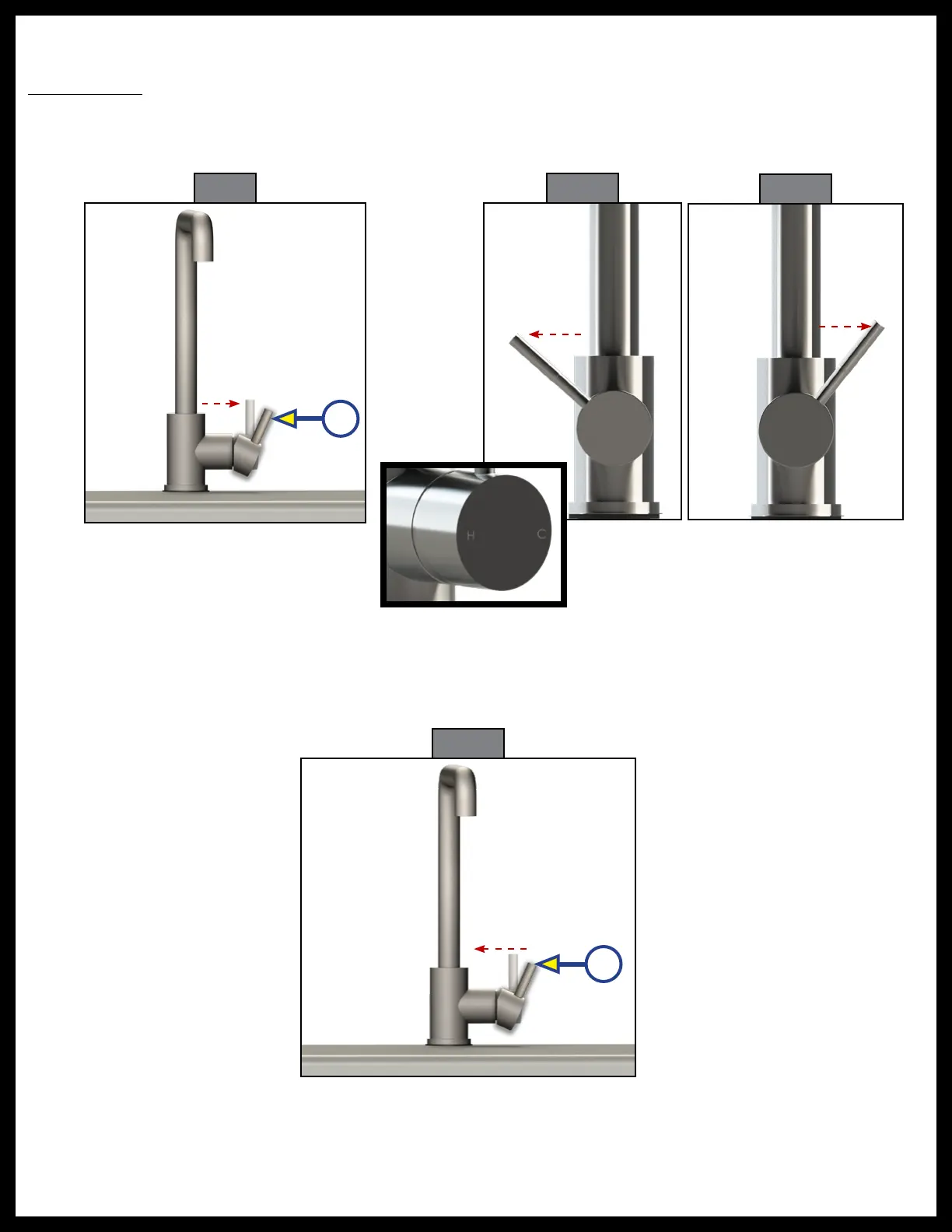
1. Pull the lever away from the faucet to turn it on (Fig. 9A).
2. Move the lever towards you for hot water (Fig. 10) and away from you for cold water (Fig. 11).
Note: Located on the front of the lever is a “H” for hot water and a “C” for cold water. Move the lever in the
direction of the desired temperature.
3. Push the lever in towards the faucet to shut the water off (Fig. 12A).
Fig. 12
A
A
H C H C
Fig. 9 Fig. 10
Fig. 11


 To Next Page