Rev: 05.18.21 Page 7 CCD-0004329
Fig.3 - Header and Navigation Bars
Callout Display Item Description/Other notes
A Time Time can be set in Settings.
B
Bluetooth
capability
The Bluetooth symbol informs the user of the ability to pair a smart
device to the caravan. If the OCAU
System app is downloaded, the
user may control the caravan’s OCAU
System from a smart phone or
device.
C Location A user’s geo-location appears automatically.
D Temperature
• Outside temperature
• Units can be changed in Settings.
E Notification
• If there are no notifications, a white triangle will appear.
• A red triangle indicates a notification has been sent to the user. It
may be read on the A7 tablet by pressing on the triangle or in the
mobile app.
F Home This button allows users to return to the Home Screen.
G Sensors
• The sensors page is provisioned for a temperature sensor and an
LP sensor.
• Sensors may be installed at the factory, by a dealer or by a user
when purchased at an aftermarket retailer.
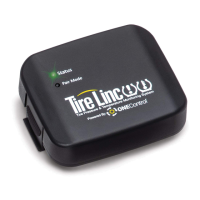
H TireLinc™
TireLinc™ is a Tire Pressure and Monitoring System (TPMS) that may
be installed at the factory, by a dealer or by a user when purchased
at an aftermarket retailer.
I Settings Takes a user to the Settings page.
J Night Mode
Night Mode turns off the display so that it does not waste battery or
keep people awake at night.




 To Next Page