Introduction
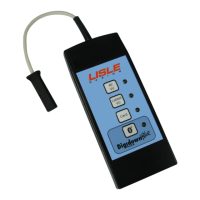
The Digidown device downloads data from digital tachograph vehicle
units (VUs) from all current tachograph manufacturers. Data
downloaded from the VU is stored in a Secure Digital memory card,
normally known as an SD card.
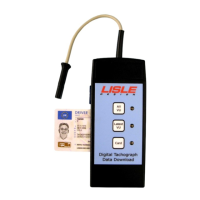
Three types of download are available:
ALL VU Downloads all contents from the VU
LATEST VU Programmable
. Options include the last 1 or 3 months
of data plus a selection from events & faults, detailed
speed and technical information.
CARD Downloads a Driver Card inserted into the VU
If required, ‘Latest VU’ can also be programmed to include download of
a Driver card inserted in the VU.
Pressing the relevant button starts the Download. Download status is
indicated by the 3 LEDs positioned by the buttons.
Initial Set Up
In order to operate successfully, the Digidown requires an SD card to be
inserted into the slot in the side of the device. A suitable ready-
formatted SD card is supplied with the unit
. When a suitable memory
card has been inserted into a Digidown and the Digidown is connected
to a VU it checks the card format and then indicates that it is ready for
use.
In order to read tachograph cards direct into the unit a pair of AA-size
batteries is required (supplied with the unit). Please observe the correct
polarity when inserting the batteries.
Insertion and removal of the SD card
When in use, a suitable SD card must be inserted into the slot in the
side of the Digidown. To insert the card, push it into the slot in the side
of the Digidown until it latches in place. To remove the SD card from
the Digidown (for instance in order to read it using a different memory
card reader) the protruding end of the memory card should be pushed
back into the Digidown. This will release the SD card and it will spring
Please contact your dealer to discuss the options available.
Whilst the Digidown will work correctly with most types of SD memory card (provided that they are
formatted FAT16), Lisle Design can only guarantee operation with those memory cards supplied by Lisle
Design.


 To Next Page