EasyManua.ls Logo

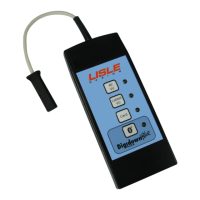
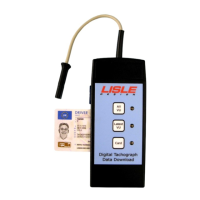
Lisle Digidown - User Manual

Lisle Digidown
6 pages
Print Icon
To Next Page IconTo Next Page
Loading...
Digital Tachograph Download Device
Operating Instructions
Question and Answer IconNeed help?

Do you have a question about the Lisle Digidown and is the answer not in the manual?

Summary

Introduction

Initial Set Up

Requires insertion of a formatted SD card for successful operation of the Digidown device.

Insertion and removal of the SD card

Details the correct procedure for inserting and removing SD cards from the Digidown unit.

Download Process

Reading the SD card

Explains methods to read data from the SD card using the Digidown's USB port or external readers.

LED status; Error indication

Describes LED patterns for normal operation, download status, and errors.

LED Status and Error Handling

Error Conditions

Lists various error conditions indicated by LED patterns, such as no SD card or card problems.

Suggested Actions on Error Condition

Provides practical steps to resolve SD card errors, download failures, and button press issues.

SD Card Management

Choice of SD Memory Card

Guidance on selecting compatible SD memory cards, including formatting and capacity considerations.

SD Card Formatting

Explains the FAT16 formatting requirement for SD cards and the automatic creation of a directory structure.

Data Storage and Upgrades

SD Card directory structure

Details the '\digidown\vu' and '\digidown\card' directory structure for downloaded data files.

Upgrade of the Digidown

Explains how to perform software upgrades and update button programming without returning the device.

Summary

Introduction

Initial Set Up

Requires insertion of a formatted SD card for successful operation of the Digidown device.

Insertion and removal of the SD card

Details the correct procedure for inserting and removing SD cards from the Digidown unit.

Download Process

Reading the SD card

Explains methods to read data from the SD card using the Digidown's USB port or external readers.

LED status; Error indication

Describes LED patterns for normal operation, download status, and errors.

LED Status and Error Handling

Error Conditions

Lists various error conditions indicated by LED patterns, such as no SD card or card problems.

Suggested Actions on Error Condition

Provides practical steps to resolve SD card errors, download failures, and button press issues.

SD Card Management

Choice of SD Memory Card

Guidance on selecting compatible SD memory cards, including formatting and capacity considerations.

SD Card Formatting

Explains the FAT16 formatting requirement for SD cards and the automatic creation of a directory structure.

Data Storage and Upgrades

SD Card directory structure

Details the '\digidown\vu' and '\digidown\card' directory structure for downloaded data files.

Upgrade of the Digidown

Explains how to perform software upgrades and update button programming without returning the device.

Lisle Digidown Specifications

General IconGeneral
BrandLisle
ModelDigidown
CategoryTools
LanguageEnglish

Related product manuals