EasyManua.ls Logo

Lista RFID Lock - User Manual

Default Icon
24 pages
Print Icon
To Next Page IconTo Next Page
Loading...
Benutzerhandbuch
Manuel de l’utilisateur
Manuale per l’utente
Manual de uso
User handbook
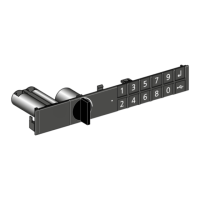
CODE LOCK, RFID LOCK
Code Lock
RFID Lock
Question and Answer IconNeed help?

Do you have a question about the Lista RFID Lock and is the answer not in the manual?

Summary

Code Lock Initialization

Programming the Code Lock

Teaching Users

Procedure for teaching new users to operate the Code Lock system.

Managing Code Lock Users

Deleting User Codes

Steps to remove existing user codes from the lock.

RFID Lock Initialization

Setting the Lock-ID

Instructions for entering and confirming the 8-digit Lock-ID for RFID Lock.

RFID Lock Programming

Creating a Programmable Badge

Procedure for creating a programmable badge for the RFID Lock system.

RFID User Management

Adding User Badges

Steps to program user badges to operate the RFID Lock.

Programming Functions

Module Replacement (Newer Models)

Module Replacement (Older Models)

Battery Replacement

Troubleshooting Common Issues

Lock Not Reacting or Unresponsive

Solutions for when the lock fails to respond or is unresponsive.

Code Entry and User Code Problems

Troubleshooting for issues related to entering Lock-IDs and user codes.

Rotary Knob, Beeper, and LED Malfunctions

Resolving problems with the rotary knob, beeper, and LED indicators.

User Badge Recognition Issues

Diagnosing and fixing problems with user badge operation and programming.

Lista RFID Lock Specifications

General IconGeneral
BrandLista
ModelRFID Lock
CategoryLocks
LanguageEnglish

Related product manuals