l
37
LA-140 Setup and Operating Instructions
8
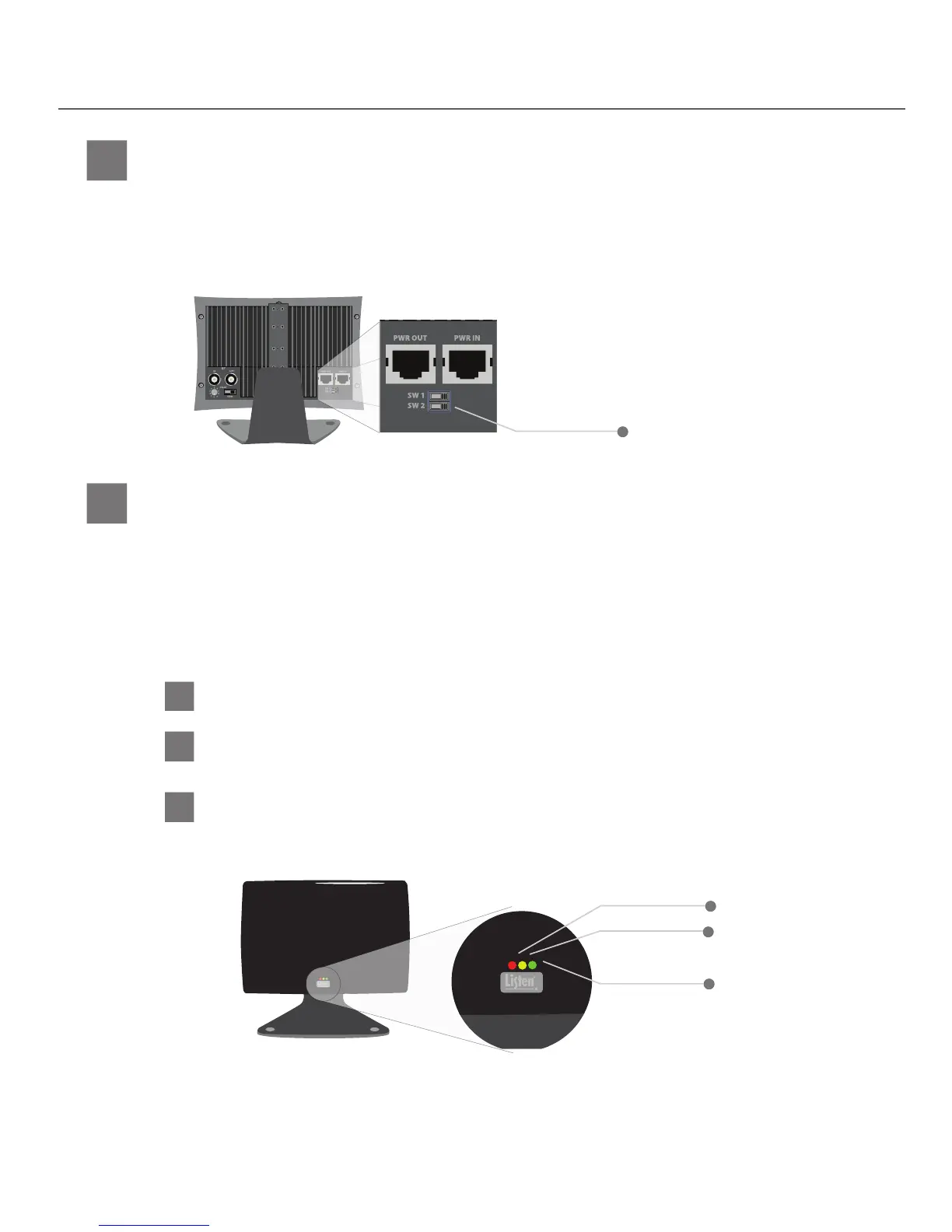
If using a Listen LT-82 Transmitter with the Listen LA-140 Radiator leave this switch in the “ON” position. If
you are using the Listen LA-140 Radiator with another manufacturer’s transmitter/modulator set this switch
to the “OFF” position.
Listen Mode Switch (SW2)
9A
The red LED is the “Power On” LED. If the Red LED is lit, the radiator has power.
Red LED
9B
This yellow LED indicates a coaxial cable fault. If illuminated, the radiator is either not connected to a powered
transmitter or another radiator.
Yellow LED
IMPORTANT: Ensure this switch is in the “ON” position whenever using the radiator
with the Listen LT-82 Transmitter.
9
There are three LEDs located on the bottom center of the front of the radiator. These LEDs are very useful for
determining the current status of the radiator. See below for possible LED combinations and how to interpret
what the combinations mean.
Front LED Indicators
9C
The green LED is the “Signal Present” LED. If the green LED is lit, the radiator is outputting an IR signal into the room.
During normal operation the red and green LEDs will be on simultaneously (unless defeated by SWI)
Green LED
Listen Mode Switch (SW2)
Green LED
Yellow LED
Red LED
ATTENTION: The LEDs can be disabled using switch 1 located on the rear of the radiator. If you believe
there is power to the radiator but there are no LED indications on the front of the radiator,
switch 1 has likely been set to the “OFF” position. Make sure switch 1 is in the “ON” position
before attempting to check the status of the radiator.


 To Next Page