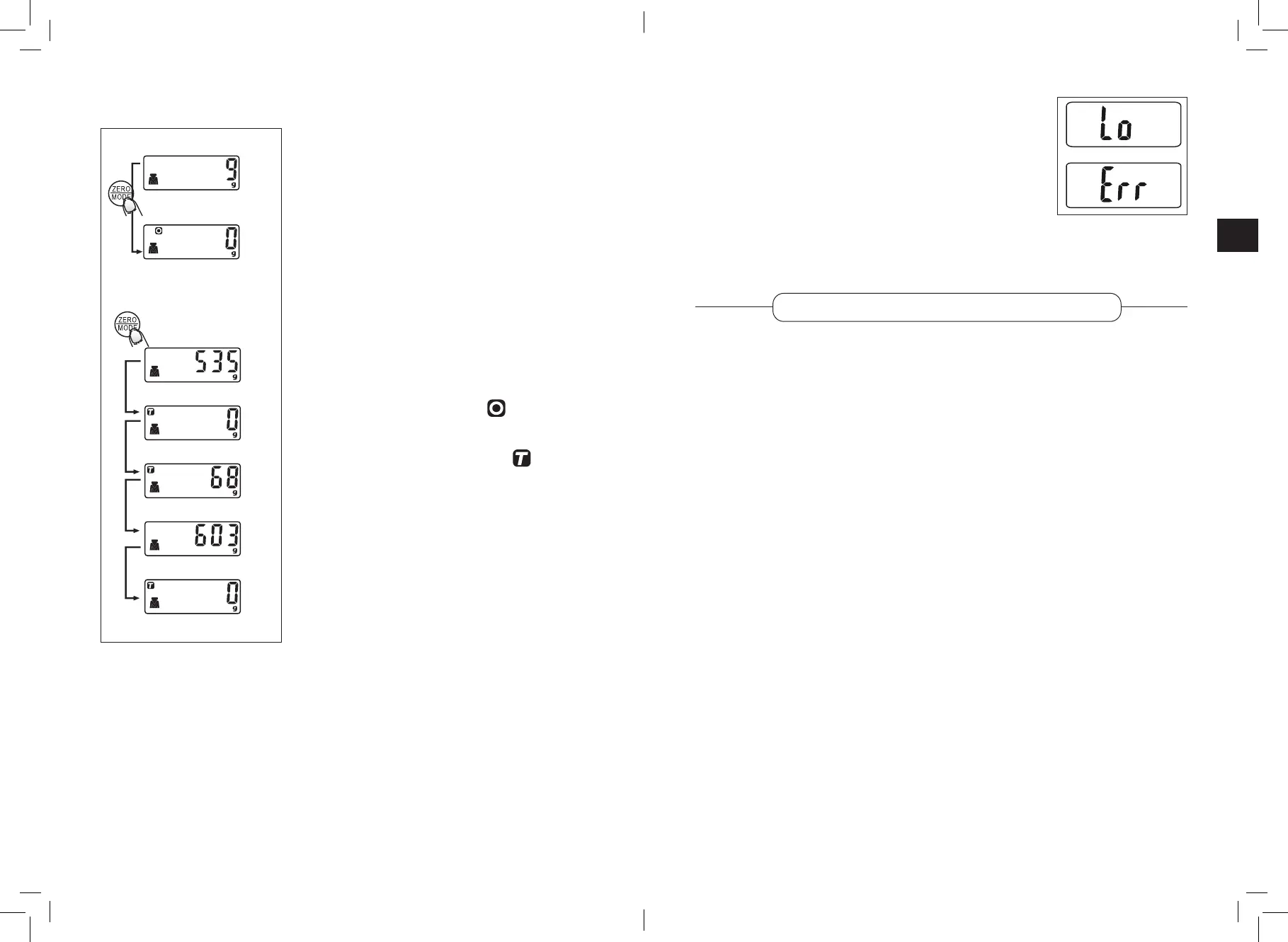
tare or zero reset FunCtion error messages
• If the screen shows “Lo”, this means that the battery is
running out of power. Please change it.
• If the screen shows “Err”, this means that the scale is
overloaded. Please remove the weight. The maximum
capacity of the scale is 5,000 g.
CLEANING
• Wipe the scale platform with a soft sponge slightly wet with water and washing-
up liquid. Be careful not to allow water or other liquids to enter the appliance,
especially the battery compartment. Dry with a soft, clean cloth.
• Do not use abrasive detergents or scouring pads to avoid damaging the coating.
• Never immerse the appliance in water or any other liquid.
This function allows you to reset the scale
and measure the weight of each ingredient
separately, even if you place them in the same
container on the scale.
• Place an ingredient on the scale, its weight
is displayed. Press the ZERO/MODE button
to reset the weight to “0” before weighing
the next ingredient.
• If the screen shows “-----”, wait until the
system stabilises. After a few seconds, “0”
appears on the screen. You can repeat this
operation as many times as you wish.
Comment:
When you press the ZERO/MODE button
below 200 g, the symbol (reset to zero)
is displayed.
When you press the ZERO/MODE button
above 200 g, the symbol (tare) is
displayed.
automatiC sCale sWitCh oFF
The scale switches o automatically after 1 minute if no weighing takes place during
this time.
19
18



 To Next Page