APPLIANCE DESCRIPTION
• Maximum capacity of scale: 5,000 g / 5,000 ml / 11 lb / 166.66 oz
• Graduation: 1 g / 0.1 oz
• Conversion of liquids
• Tare function for successive weighing of new ingredients
• Operates with 1 x CR2032 3 V battery (supplied)
• LCD screen 4.45 x 1.55 cm
inserting/replaCing the battery
• Remove the battery compartment cover on the back of the scale.
• Insert 1 x CR2032 3 V battery, observing the (+) and (-) polarity indicated (the +
must face upwards).
• Replace the cover.
Comments:
• When the battery is worn out, remove it with the help of
a pointy object (see illustration opposite).
• Use only the type of battery specied in this manual.
• Replace the battery when it is worn out or in the event of
a leak.
• Remove the battery if the scale is not used for a long time.
• To turn on the scale, start by placing it on a at, stable surface.
• Place the item to be weighed on the scale.
• Press lightly on the scale. It should turn on.
USING THE APPLIANCE
Weighing and ChoiCe oF measurement unit
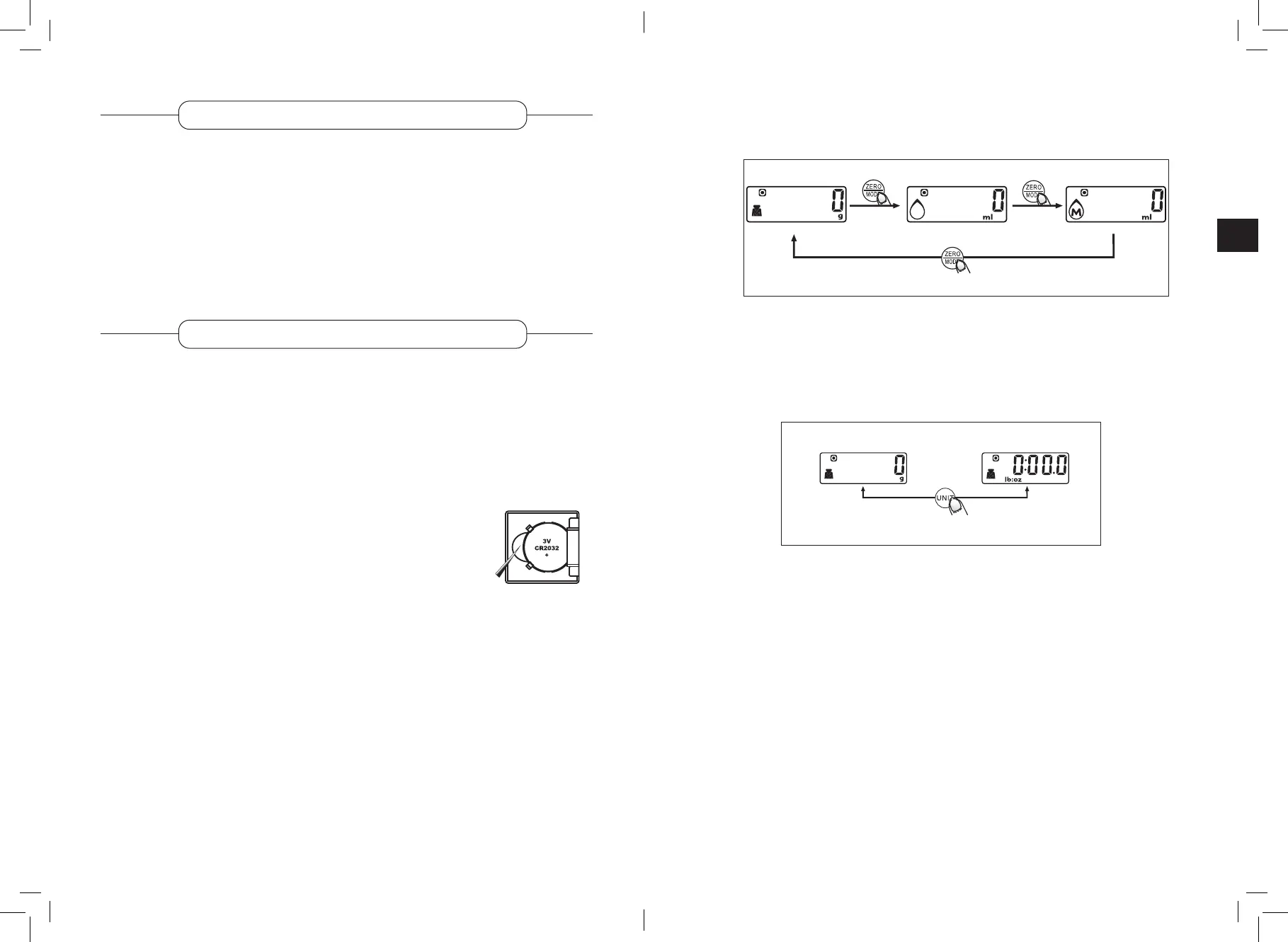
• Choice of measurement mode
• After turning on the scale, press the ZERO/MODE button for 3 seconds to choose
the measurement mode (weight, water volume, milk volume).
• Next, press the button briey to switch from one mode to another.
• Choice of measurement unit
After choosing the operating mode, choose the measurement unit.
Press the measurement unit conversion button located at the back of the scale to
switch from the metric system (g, ml) to the imperial system (lb:oz, oz) and vice
versa.
• If the weight unit is grams (g), the default volume unit will be millilitres (ml).
• If the weight unit is pounds and ounces (lb:oz), the default volume unit will be
uid ounces ( oz).
Milk volume mode
Weight mode
Water volume mode
Press for
3 seconds
Press briey
Press
briey
15
14



 To Next Page