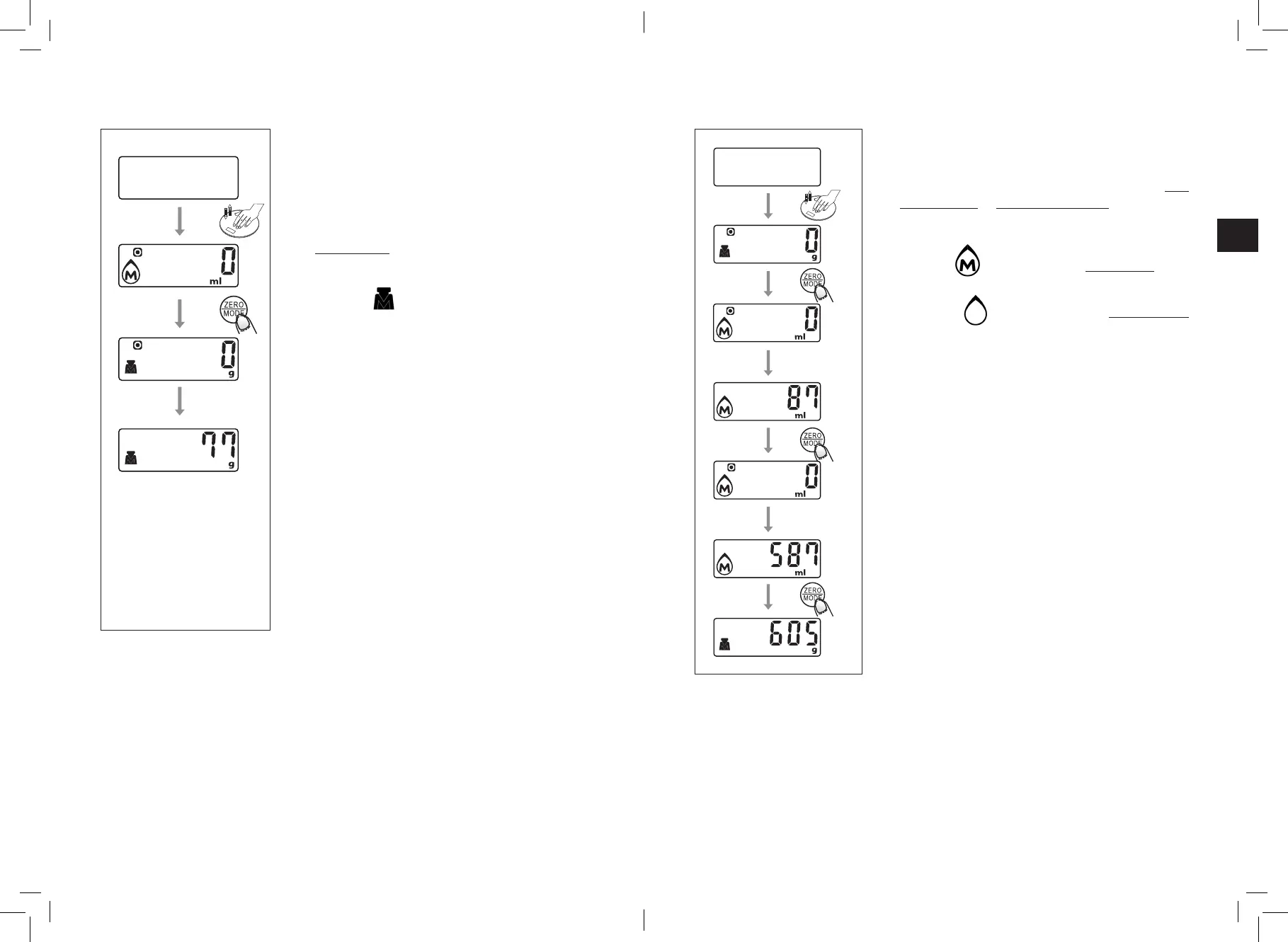
• Weight mode
Place the ingredient
on the scale
• Volume mode
Place recipient
on scale
Pour in the liquid
• First, place the scale on a at and stable surface.
• Place the recipient on the scale if needed.
• Press lightly on the scale. It should turn on. Wait
until the screen shows “0”.
• Press the ZERO/MODE button to switch to
weight mode if necessary.
Comment:
The logo indicates that the weight mode is
activated.
• Place the ingredients in the recipient or on the
scale if there is no recipient. The screen displays
the weight.
• First, place the scale on a at and stable surface.
• Press lightly on the scale. It should turn on. Wait
until the screen shows “0”.
• Press the ZERO/MODE button to switch to milk
volume mode or water volume mode if necessary.
Comment:
The logo indicates that the milk volume mode
is activated.
The logo indicates that the water volume
mode is activated.
• Pour the liquid (water or milk) into the recipient.
The screen displays the volume.
• If necessary, press the ZERO/MODE button to
display the weight.
17
16



 To Next Page