17
1.Start the program by click (take 1 sec)
2.Calibrate the aircraft by 5 secs
3.Take off after finished calibration(take 3 secs)
4.Turn on the first LED to White(last 2 secs)
5.Turn on all LED to Red(last 2 secs)
6.Turn on all LED to Green(last 2 secs)
7.Turn on all LED to Blue(last 2 secs)
8.Turn off all LED, 2 secs later, land automatically
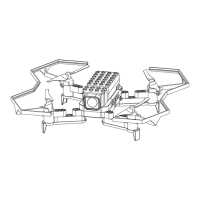
Case1-LED module


 To Next Page