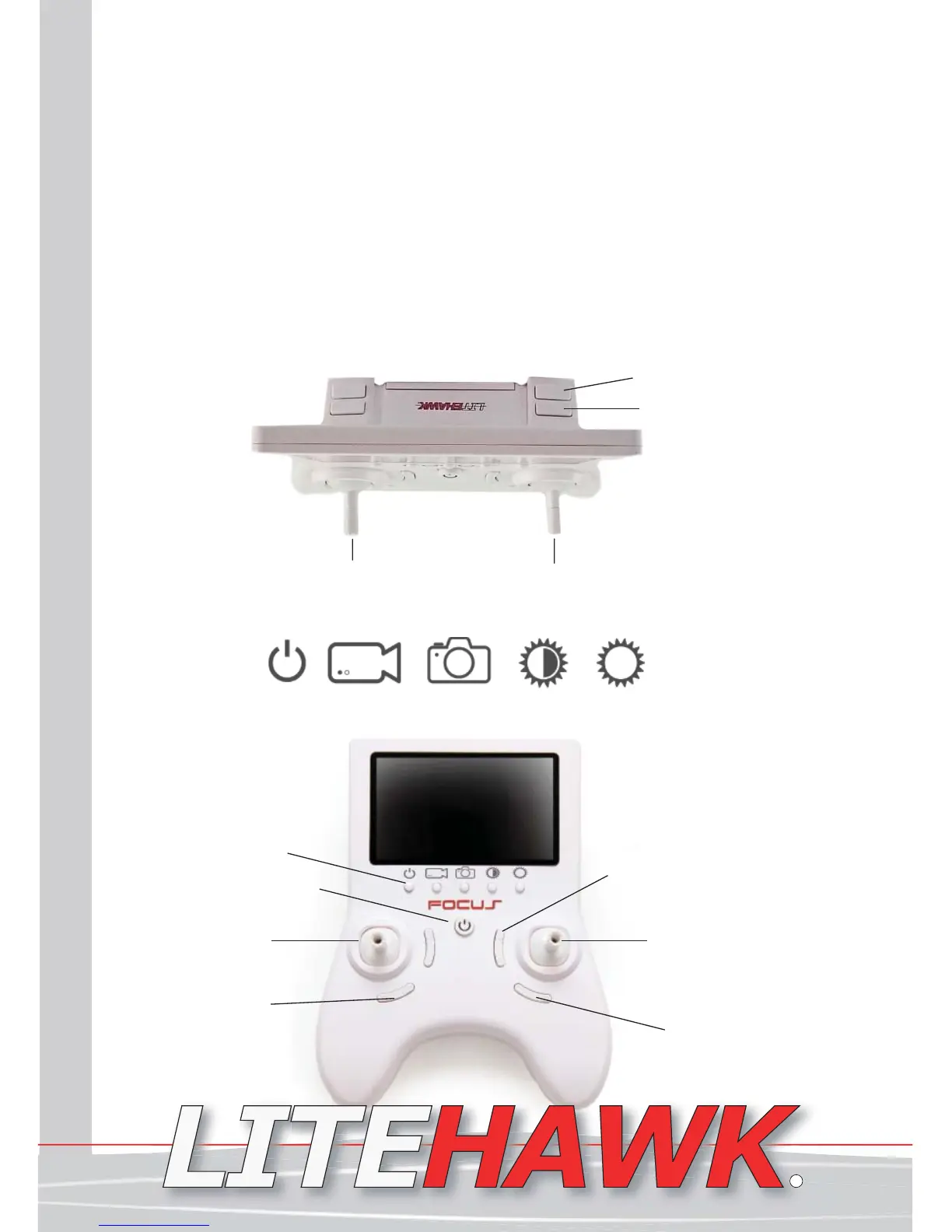
LiteHawk FOCUS - Controller Functions
*Familiarize yourself with the Remote and the Quadrocopter - everything should be
turned off.*
Left/Right
Rotation Trim
Throttle
Left/Right Rotation
Auto Flip
Auto Return
Orientation
Low High
Photo Screen Brightness
VideoPower
Directional Control Stick
Forward/Backward
Left/Right Roll
Standard/Sport Modes
Forward / Backward Trim
Welcome to the World of LiteHawk!
Welcome aboard, this is your new LiteHawk FOCUS! Before we get ready for your first
aerial adventure, let’s cover the basics together!
Attempting to fly your LiteHawk FOCUS without completely reading the manual may cause
injury to yourself and people in the vicinity, as well as damage to the RC model. Please
read the Instruction Manual thoroughly before taking your first flight.
LiteHawk FOCUS - 2.4 Ghz
Your LiteHawk comes with a 2.4 Ghz radio system, which allows you to play without
the fear of ever losing control! Race or play with countless other pilots. The range of
your model is approximately 140ft which, due to its small size, is in excess of normal
vision. The farther the model goes away from you the smaller it will become and the
harder it will be to determine the model’s direction. We suggest you stay at a distance
between 5ft-25ft, this keeps your FOCUS within a safe operational distance.
Left/Right
Roll Trim
Screen Power
Controller Power
LiteHawk FOCUS Instruction Manual 3
www.litehawk.ca
R


 To Next Page