LiteHawk FOCUS - Post Flight
- When you have finished using your LiteHawk FOCUS you should first disconnect the Li-Po
battery, then switch OFF the transmitter.
- If you do not plan on using the quadrocopter for more than 24 hours, it is recommended
that you recharge the batteries fully before putting it away.
- Remember to allow the battery to cool 10-15 minutes before recharging.
With the FOCUS synced and ready to fly, push the VideoScreen On/Off button. The screen will
turn on.
To capture Video, push the Video On/Off button. You will see a display counter turn on -
located on the bottom right of the display screen. You are now capturing video!
To take an image, push the Photo On/Off button. With each press you will take one picture.
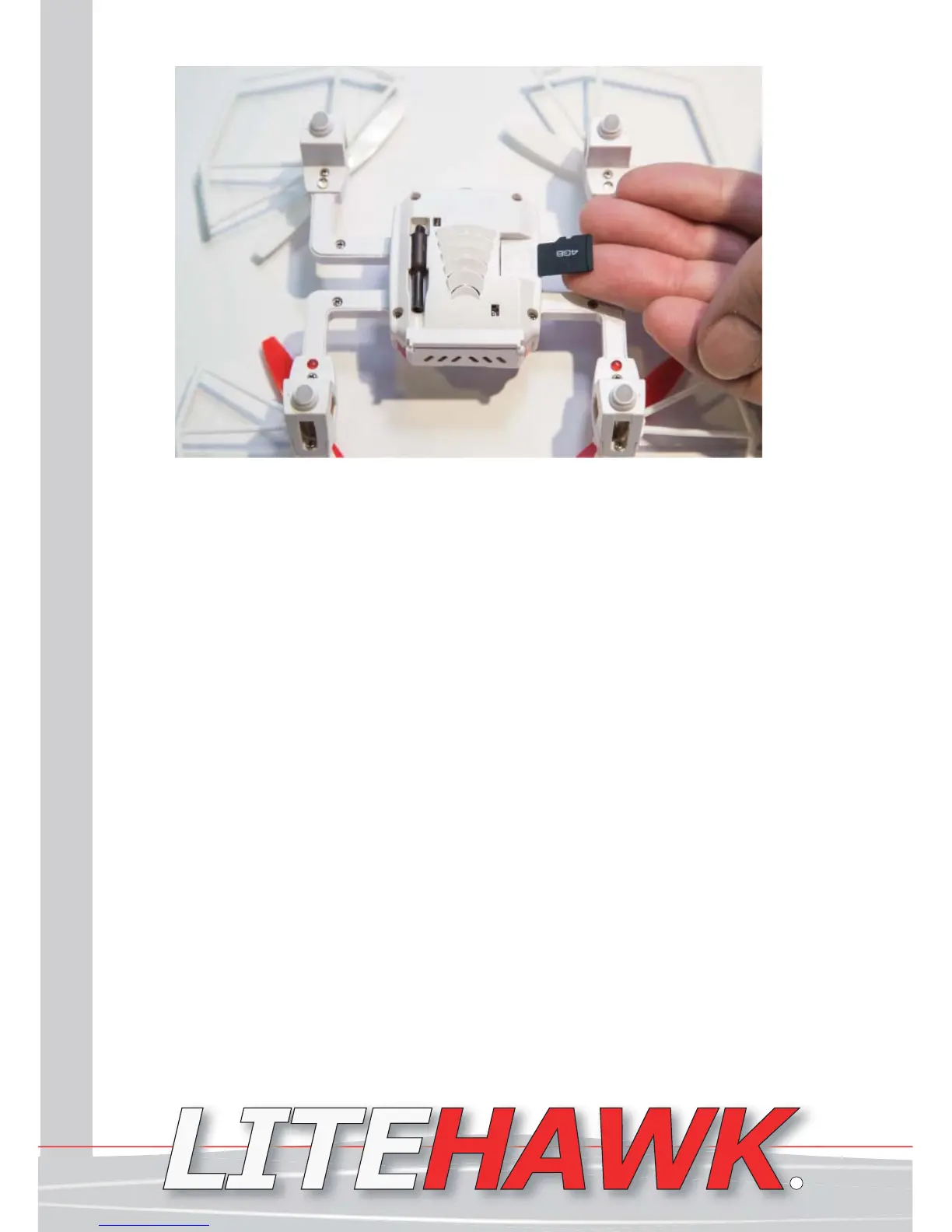
To see your pictures and video, simply remove the micro sd card from the FOCUS. A
gentle push on the card will unlock it, now just pull it out.
Insert into the USB reader, then place the reader into a USB slot on your computer.
Remember to turn off your quadcopter and the controller.
For helpful tips and tricks visit us at www.litehawk.ca!
LiteHawk FOCUS Instruction Manual 9
www.litehawk.ca
R


 To Next Page