EasyManua.ls Logo

Litex JP13EB6CRS - User Manual

Litex JP13EB6CRS
17 pages
Print Icon
To Next Page IconTo Next Page
Loading...
E192641
LISTED
For
Damp Location
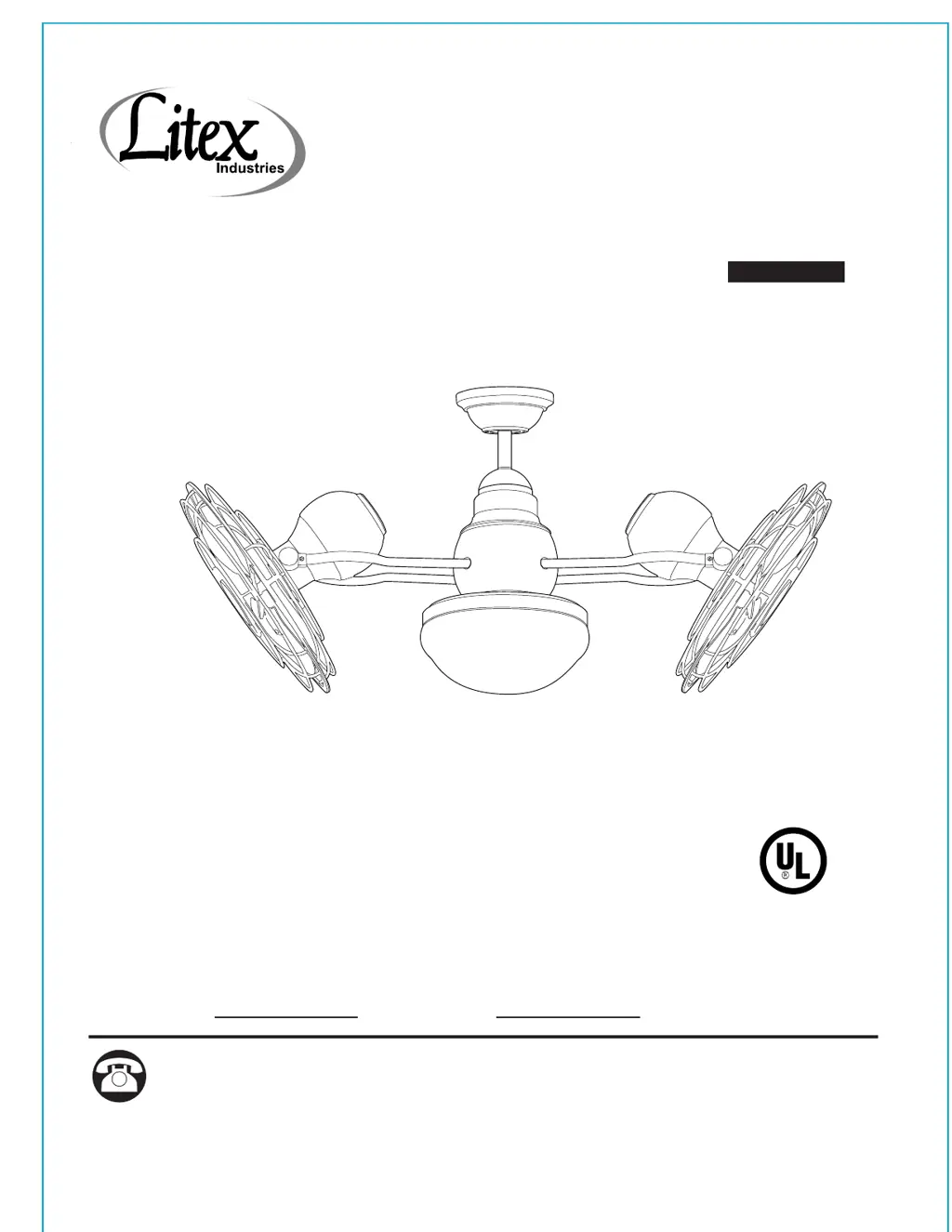
FIELDER CEILING FAN
ITEM #0708569
MODEL #JP13EB6CRS
Questions, problems, missing parts? Before returning to your retailer, call our customer
service department at 1-800-527-1292, 8:30 a.m. - 5 p.m., CST, Monday - Friday.
ATTACH YOUR RECEIPT HERE
Serial Number
Purchase Date
1
Español p. 18

Questions and Answers

  • T
    Tricia FletcherAug 4, 2025
    What to do if my Litex JP13EB6CRS does not move?
    • J
      juanpaulAug 4, 2025
      If your Litex Fan isn't moving, the problem may be due to a few reasons. First, check if the power is on or if the circuit breaker in the electrical box has tripped; if so, turn the power on or check the circuit breaker. Another potential cause is a faulty wire connection. To resolve this, turn the power off, loosen the canopy, and check all connections. Also, the learning code process between the fan and the remote control transmitter may not have been successful or the learning code was not activated. In this case, turn off the power and repeat the instructions in Step 2 on page 16.
  • L
    lthompsonAug 9, 2025
    Why is my Litex JP13EB6CRS wobbling excessively?
    • E
      erikafrancisAug 9, 2025
      Excessive wobbling in your Litex Fan can stem from several issues. Ensure the fan is securely mounted by turning the power off and carefully loosening the canopy to verify the mounting bracket is secure. Also, check the set screws on the motor housing yoke and the hanging ball. If the set screws on the motor housing yoke are not tightened properly, tighten them securely. Similarly, if the set screw on the hanging ball is not tightened properly, carefully loosen and lower the canopy and verify that the set screw on the hanging ball is tightened securely.
  • T
    thompsondavidAug 15, 2025
    How to fix a Litex Fan when the fan and light fail to operate with the remote control?
    • T
      Taylor BenderAug 16, 2025
      If your Litex Fan and its light aren't responding to the remote control, there are a couple of things to check. The learning process might not have been completed correctly, or the code wasn't activated. In that case, turn the power off and repeat Step 2 on page 16. Also, the battery in the remote control transmitter might be dead. Check the battery and replace it if needed.
  • L
    Lauren EricksonAug 22, 2025
    What to do if my Litex JP13EB6CRS operates but the light fails?
    • B
      breannamooreAug 22, 2025
      If your Litex Fan is working but the light isn't, consider these possibilities: * The bulb(s) might not be installed correctly, so try re-installing them. * The wires in the canopy might not be wired properly; check the wires and, if necessary, re-wire according to the instructions on page 10. * The wires in the light kit fitter might not be wired correctly; check that the molex connections in the light kit fitter are connected properly according to the instructions on page 13. * The light kit might be lamped with bulbs exceeding the allowable 190W, causing the wattage limiting device to interrupt the power; use bulbs that total no more than 190W.
  • C
    cynthiajohnsonAug 28, 2025
    Why is my Litex JP13EB6CRS Fan making so much noise?
    • Z
      Zachary JohnsonAug 28, 2025
      If your Litex Fan is operating noisily, it could be due to a full range dimmer switch; use only the remote control provided with the fan. Also, if the fan is new, allow it a “break in” period of a few days, especially when running the fan at Medium and High speeds.

Summary

Safety Information

Read and Save These Instructions

Important safety instructions and precautions to be followed during fan installation and use.

Package Contents

Parts List and Identification

List and visual identification of all parts included in the fan package for installation.

Hardware Contents

Wire Connectors

Details and quantity of the E3 Wire Connectors provided for electrical connections.

Preparation for Assembly

Pre-Assembly Checks and Tools

Ensuring all parts are present and gathering required tools before starting assembly.

Initial Installation Steps

Power Disconnection and Mounting

Instructions for turning off power and initial mounting considerations for the fan.

Fan Mounting Procedure

Attaching Mounting Bracket

Securing the mounting bracket to the outlet box using appropriate hardware.

Preparing the Motor Assembly

Removing safety pin and clip, and loosening set screws on the motor assembly.

Inserting Downrod and Wires

Guide downrod and wires through canopy components and motor assembly.

Preparing Lead Wires

Instructions on how to trim fan lead wires for easier wiring connections.

Securing Downrod and Safety Cable

Finalizing downrod installation and attaching the safety cable for secure mounting.

Wiring Connections

Electrical Connections Diagram

Diagram illustrating the wiring process for remote control operation.

Securing Wire Connections

Instructions for wrapping and securing wire connections with electrical tape.

Installing Remote Receiver

Properly positioning and connecting the remote control receiver unit.

Final Installation of Canopy

Securing the Canopy Cover

Attaching the canopy cover to conceal wiring and mounting bracket securely.

Final Installation of Light Kit

Attaching Light Kit Fitter Plate

Connecting the light kit fitter plate to the motor assembly.

Connecting Light Kit Wires

Connecting the molex connections between the motor and the light kit.

Installing Light Bulbs and Shade

Installing bulbs and securing the glass shade to the light kit fitter.

Installing Fan Without Light Kit

Attaching Fitter Plate

Securing the fitter plate to the motor assembly when not using the light kit.

Securing Fitter Plate Cover

Attaching the fitter plate cover to the threaded rod on the fitter plate.

Automated Learning Process

Remote Control Programming

Instructions for programming the remote control transmitter to the fan receiver.

Operating Instructions

Remote Control Functions

Explanation of buttons and their functions on the remote control transmitter.

Adjusting Fan Tilt Angle

Procedure for safely adjusting the tilt angle of the smaller fan heads.

Troubleshooting Common Issues

Fan Not Moving or Noisy Operation

Diagnosing and correcting issues where the fan does not move or makes noise.

Excessive Wobbling or Light Failure

Resolving problems related to fan wobbling or the light not functioning.

Remote Control Not Operating

Troubleshooting steps for when the fan or light fails to operate with the remote.

Warranty Information

Litex Lifetime Limited Warranty

Details of the warranty coverage for the fan, including duration and limitations.

Replacement Parts List

Information on how to obtain replacement parts for the fan.

Litex JP13EB6CRS Specifications

General IconGeneral
BrandLitex
ModelJP13EB6CRS
CategoryFan
LanguageEnglish

Related product manuals