EasyManua.ls Logo

LitterMaid LM580 - User Manual

LitterMaid LM580
17 pages
Print Icon
To Next Page IconTo Next Page
Loading...
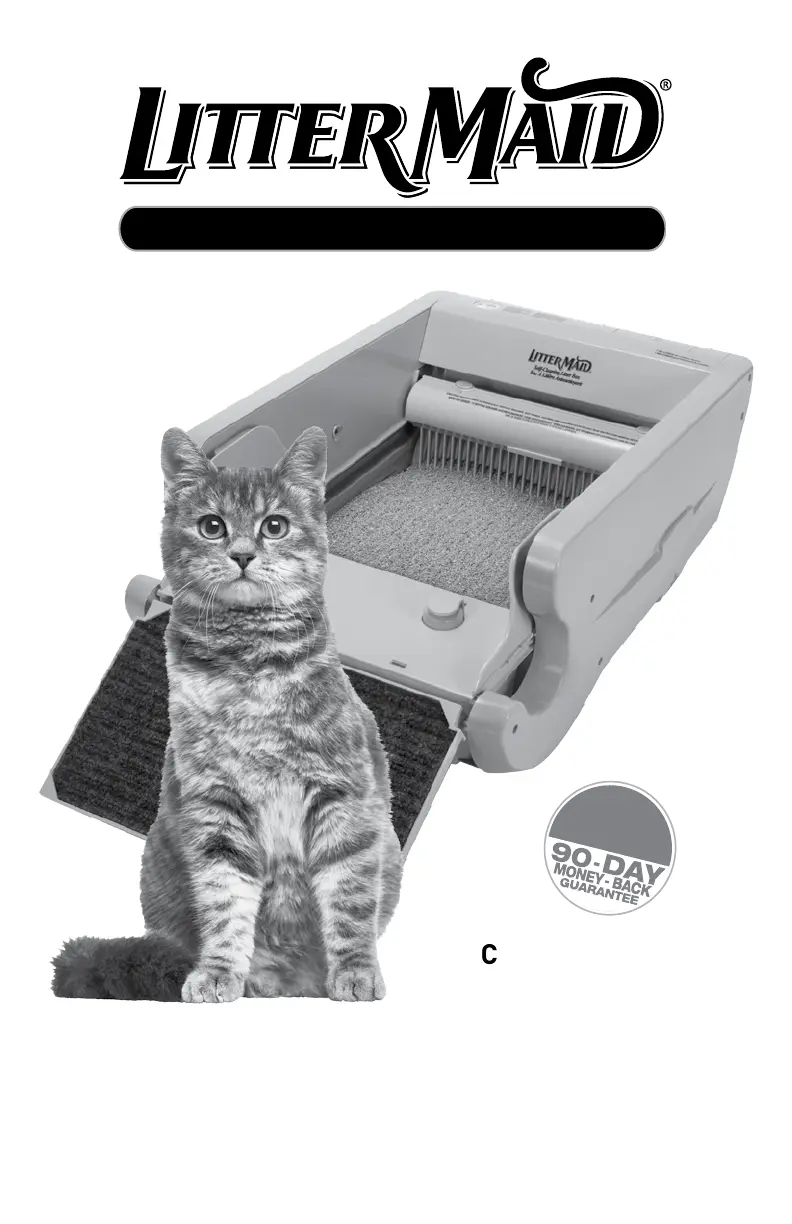
MODEL
LM580
LM680C
LM980
LM-86579
CustomerCare Line:
USA/Canada
1-800-526-0650,
Option 1
For online customer service
and to order accessories/parts,
go to www.littermaid.com
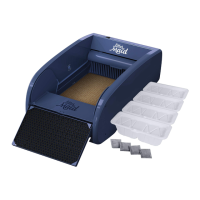
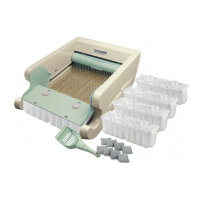
*Product may vary slightly from item pictured
AUTOMATIC Self-Cleaning Litter Box
LIMITED
1-YEAR
WARRANTY

Questions and Answers

  • A
    Amber WoodsAug 4, 2025
    What to do if the LitterMaid Pet Care Product mode indicator light blinks quickly and the rake moves continuously?
    • B
      Brian RobinsonAug 4, 2025
      If the mode indicator light on your LitterMaid Pet Care Product is blinking quickly and the rake moves continuously, it means the litter box is in FAULT mode. This usually happens when the rake encounters a blockage. To fix this, turn the unit off and unplug it. Clear any clumps or blockages preventing the rake from moving properly and level the litter below the MAX line. Then, plug the unit back in and turn it on. Also, check that the limit switches (on the front right and rear middle) are not stuck; they should both be out.
  • T
    Terry MoranAug 14, 2025
    Why is the mode indicator light blinking slowly on my LitterMaid Pet Care Product?
    • R
      Ronald AlexanderAug 14, 2025
      If the mode indicator light on your LitterMaid Pet Care Product blinks slowly (once per second), it indicates that the litter box is in LOW POWER mode. This means the battery power is low and the rake function is disabled. To solve this, ensure the litter box is plugged into a working outlet. You may also need to replace the batteries as instructed in the CARE AND CLEANING section. Note that battery power is primarily for use during power outages and isn't designed for continuous operation.
  • L
    lunarobinAug 23, 2025
    How to fix a LitterMaid Pet Care Product when the rake doesn't move after the cat exits?
    • A
      Anita PearsonAug 25, 2025
      If the rake on your LitterMaid Pet Care Product does not move 20 minutes after your cat exits the litter box, the sensors may be dusty. Simply wipe the sensors with a soft, dry cloth to remove any dust.

Summary

Important Safeguards

Getting to Know Your LitterMaid Litter Box

Litter Box Parts

Overview of components like LED indicator, on/off button, AC adapter, battery compartment, safety bar, rake, litter tray, sensors, waste receptacle, and ramp posts.

Mode Indicator Light

Explains the meaning of different LED light patterns (no light, constant, blinking) and corresponding litter box modes.

Accessories and Models

Details included accessories for different models (LM580, LM680C, LM980, LM-86579) and lists additional purchasable items.

Selecting Litter

Acclimating Your Cat

How to Use

Getting Started

Instructions for initial setup, including unpacking, finding a location, and preparing the rake and battery compartment.

Preparing the Waste Receptacle

Detailed steps on how to properly insert and secure the waste receptacle and attach the carbon filter.

Filling Litter Tray

Instructions for filling the litter tray with the correct amount of litter and distributing it evenly.

Attaching Paw Cleaning Ramp

Steps to attach the paw cleaning ramp accessory to specific LitterMaid® models.

Daily Use

Explanation of how the litter box operates during daily use, including sensor activation and cleaning cycles.

Care and Cleaning

Removing the Waste Receptacle

Step-by-step guide on how to safely remove and dispose of the used waste receptacle.

Weekly Cleaning

Instructions for weekly maintenance of the paw cleaning ramp and cleaning motion sensors and top housing.

Thorough Cleaning

Recommendation for monthly deep cleaning of the litter box for optimal operation.

Rake Removal & Cleaning

Procedure for removing the rake for cleaning and how to clean it effectively.

Litter Tray Cleaning

Steps to clean the litter tray, including removal, washing, and reassembly.

Replacing Batteries

Instructions on how to replace the 8 AA batteries used for backup power.

Troubleshooting

Mode Indicator Light Blinking Slowly

Addresses issues with the LED light blinking slowly, indicating low battery power or disabled rake function.

Mode Indicator Light Blinking Quickly

Explains solutions for the LED blinking quickly, indicating a rake blockage or fault mode.

Rake Movement Issues

Troubleshooting steps for rake not moving after cat exit or not cleaning the litter box completely.

Litter Tray and Power Issues

Solutions for waste clumps stuck in the tray and the indicator light not turning on due to power issues.

Limited 1 Year Warranty

LitterMaid LM580 Specifications

General IconGeneral
BrandLitterMaid
ModelLM580
CategoryPet Care Product
LanguageEnglish

Related product manuals