LIVA MINI PC USER MANUAL
5
Chapter 1
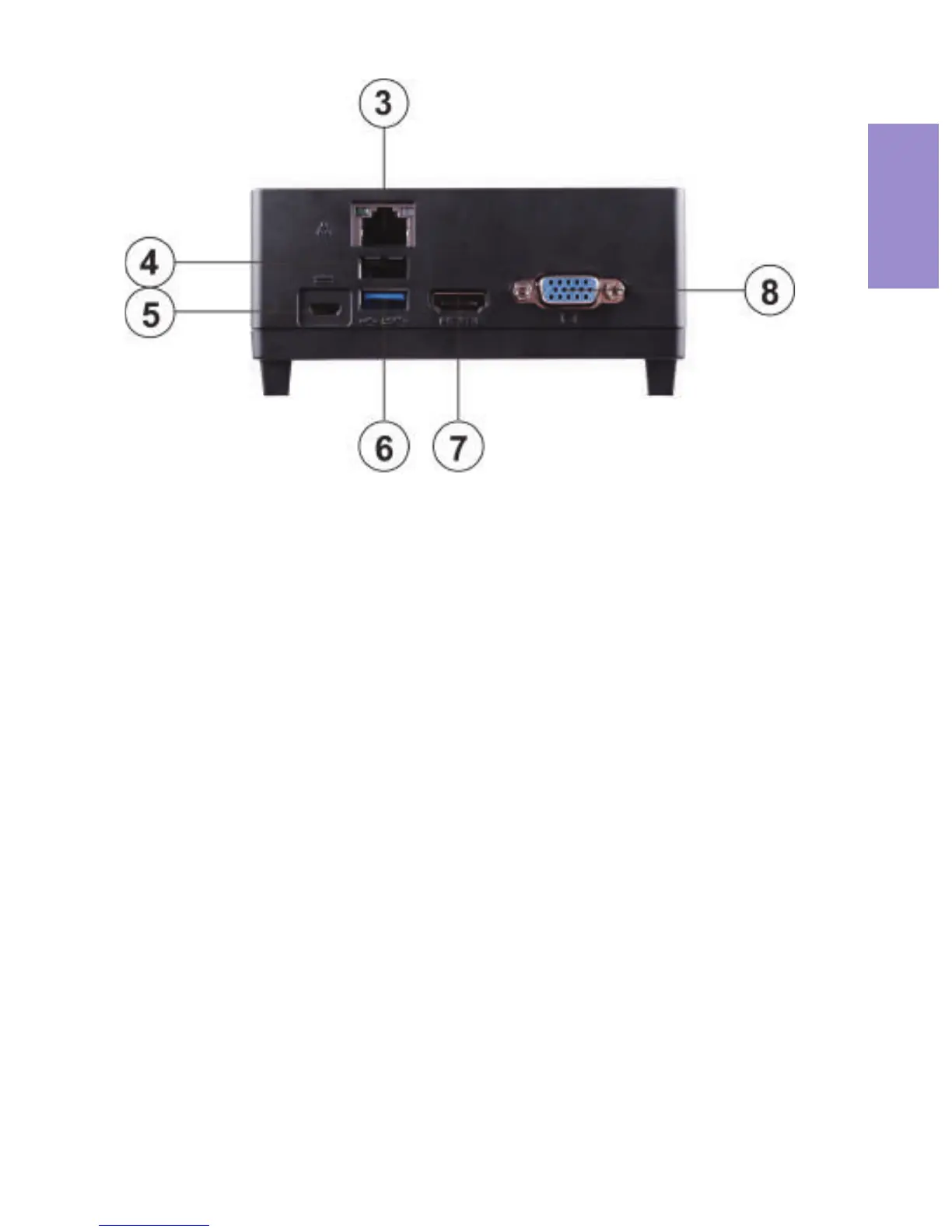
4. USB 2.0 Port
5. 5V DC_IN Port
(micro USB2.0, B type)
6. USB 3.0 Port
7. HDMI Port
Connect the DC_IN port to the power
adapter.
Use the USB 2.0 port to connect USB
2.0 device.
Use the USB 3.0 port to connect USB
3.0 device.
You can connect the display device to
the HDMI port.
8. VGA Port
Connect your monitor to the VGA
port.
Connect an RJ-45 jack to the LAN port
to connect your computer to the
Network.
3. LAN Port


 To Next Page