Need help?
Do you have a question about the LIVA Z2 and is the answer not in the manual?
Legal protection of publication content, including photographs, illustrations, and software.
Manufacturer's limitation of liability and warranty regarding document contents.
Acknowledgment of registered trademarks for Microsoft and Intel products.
FCC compliance statement for Class B digital devices and protection against interference.
EC/EMC directives compliance for the device, including emission and compatibility standards.
Guidelines for safe and proper system setup, ventilation, and environmental considerations.
Precautions for safe operation, handling power cords, and cleaning the system.
Specific warnings for optical drive safety, laser radiation, and handling.
Guidelines for proper disposal of electronic equipment and avoiding municipal waste.
Safety warnings related to handling and replacing lithium-ion batteries.
Compliance with Canadian Interference-causing Equipment Regulations for Class B apparatus.
Description of the manual's chapters and their respective content.
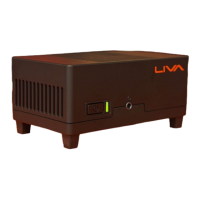
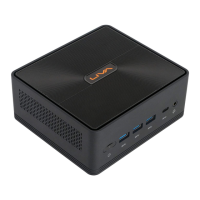
General introduction to the LIVA Z2 Small Form Factor PC, its features, and design.
Comprehensive list of hardware specifications including CPU, memory, storage, and I/O.
Identification and description of internal connectors and headers on the motherboard.
Details on power supply, physical dimensions, and VESA mounting compatibility.
Description of front panel ports, including USB, audio, and power button.
Description of rear panel ports, including DC-IN, HDMI, USB, and LAN.
Visual layout of major components on the motherboard with numbered indicators.
Detailed listing and description of motherboard components with their labels.
Pinout diagrams for specific motherboard headers like Battery, CPU Fan, and Digital Microphone.
Overview of the BIOS setup utility, its functions, and configuration parameters.
Explanation of default BIOS settings and their purpose in system operation.
Steps to access and enter the BIOS setup utility using POST screen prompts.
Procedure for restoring BIOS settings to factory defaults via Load Default Settings.
General guidance on navigating and interacting with the BIOS menu and options.
Key functions and navigation controls within the BIOS setup interface.
Description of the main BIOS screen showing system information and navigation tabs.
Access to advanced system configuration settings for CPU and other hardware.
Settings for system power management, including resume options and EuP functionality.
Configuration options for SATA storage devices, including SATA mode.
Settings for the onboard LAN controller, enabling or disabling its functionality.
Monitoring of system temperatures, voltages, and fan speeds for hardware health.
Configuration for the embedded multimedia card (eMMC) storage.
Configuration options related to ACPI sleep states and power management.
Settings and information related to the CPU, including cores and virtualization.
Detailed information about the installed CPU, including speed, cache, and features.
Settings to manage CPU power consumption, including EIST, Turbo Mode, and C-States.
Settings for USB devices, including enabling/disabling ports and legacy support.
Configuration options for Trusted Computing (TPM) features and security devices.
Access to chipset-related configuration settings for the SoC and system.
Information and versions of platform firmware components like MRC, TXE, and GOP.
Configuration settings for the System-on-Chip (SoC), including graphics and audio.
Menu for adjusting clock speed and system bus parameters for performance tuning.
Guide on installing the Windows operating system via DVD or USB flash drive.
Process for automatically installing drivers and software from the DVD-ROM under Windows 10.
Instructions for executing the driver and software installation program.
Steps for manual driver installation if auto-install fails, using file manager.
Information about ECS utility software for enhanced system management and convenience.
Using eDLU for fast and easy driver updates by listing latest drivers online.
Using eBLU for faster and easier BIOS updates, allowing selection and installation.
Guide on performing Windows 10 OS recovery operations, including 'Keep my files' and 'Remove everything'.
General guidance for resolving common startup and operational issues before seeking support.
Steps to diagnose and resolve boot-up failures by checking adapter, connection, and power button.
Resolving errors related to display drivers, resolution, and cable connections.
Steps to fix issues with wired network connections, checking drivers, cables, and IP address.
Troubleshooting steps for wireless network connectivity problems, checking Wi-Fi reception.
Resolving issues with audio output and microphone functionality via control panel settings.
 General
| Connectivity | Wi-Fi 802.11ac, Bluetooth 4.2 |
|---|---|
| Ethernet | Gigabit Ethernet |
| RAM | DDR4 |
| Storage | 64GB eMMC |
| Graphics | Intel UHD Graphics 600 series |
| Operating System | Windows 10 / Linux |
| Ports | HDMI, USB 3.0, Audio Jack |
| Power Supply | 12V DC adapter |

 To Next Page