LIVA Z2 SMALL FORM FACTOR PC USER MANUAL
5
Chapter 1
4. Combo Audio Jack
(Line out & Mic in)
Connect a microphone or speaker to
the combo audio jack.
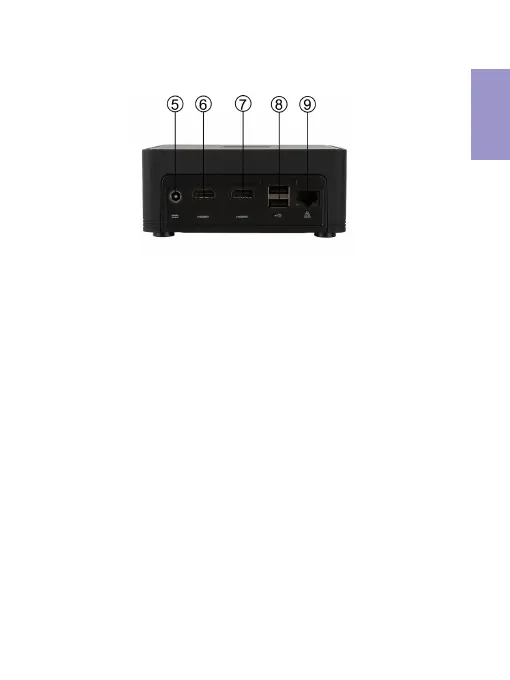
Connect the RJ-45 jack to the LAN
ports for Network connecting.
9. Giga LAN Port
You can connect the display device to
the HDMI 1.4 port.
6. HDMI 1.4 Port
Connect the DC_IN port to the power
adapter.
5. 19V DC_IN Port
8. USB 2.0 Ports
Use the USB 2.0 port to connect USB
2.0 device.
You can connect the display device to
the HDMI 2.0 port.
7. HDMI 2.0 Port


 To Next Page