4
LIVA Z2 SMALL FORM FACTOR PC USER MANUAL
Chapter 1
Front and Rear I/O
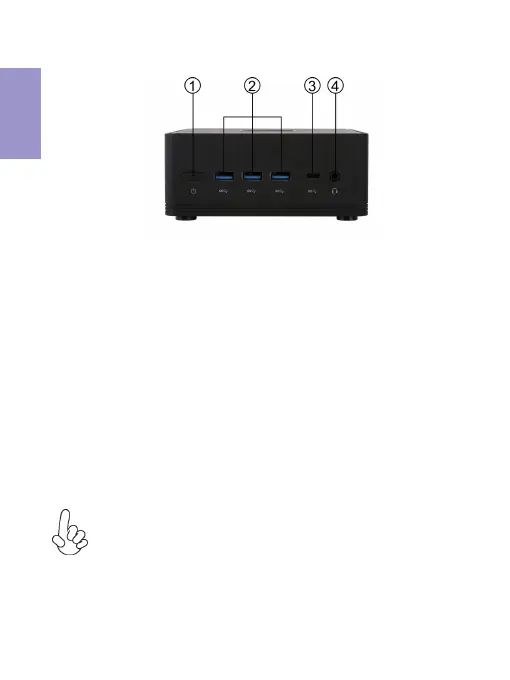
1. Power Button
Use this button to power on/off the
system.
Note:
ID design and specification may vary, please refer
to actual goods you purchase.
Connect your Type-A USB 3.0 devices
to these ports.
2. Type-A USB 3.0 Ports
Connect your Type-C USB 3.0 device
to this port.
3. Type-C USB 3.0 Port*
*Note:
The Type-C USB 3.0 port of this model is used for data
transmission only, it can not be used for DC-in power
supply and video output.


 To Next Page