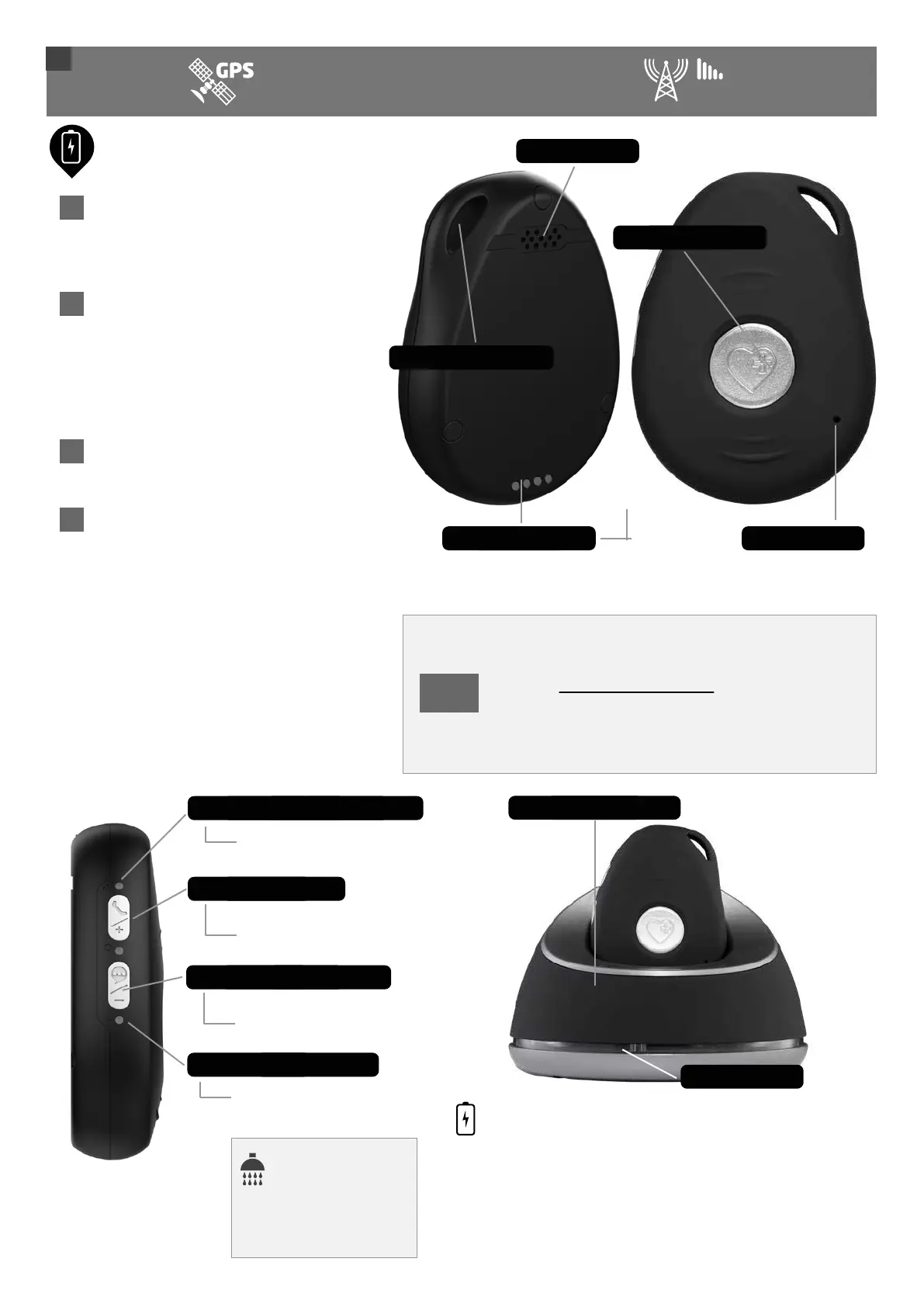
Rear of pendant
• Your device is usually close to
being fully charged when you
open your box.
• When placing the device in the
charging station, ensure it is
positioned correctly. In the
correct position, it will vibrate
and announce it is charging.
• After 5-6 days, the battery will
approach 20% charge.
• When the battery approaches
20%, a voice will announce
“Battery is low. Please recharge
your battery”. The red LED will
start blinking. When the battery
reaches 10% charge though, the
device will send a Low Battery
text reminder (contact 1 by
default) that the battery needs
to be charged.
Charging your pendant
TIP
You can also charge the device using the
supplied magnetic USB cable. Plug the cable
into the power adapter and attach the other
end to the 4 pins on the back of the device.
Speaker
4 Charging pins
SOS/Help button
Microphone
Front of pendant
Lanyard/necklace hole
For
charging via
the magnetic USB cable
Quick Start Guide
1
MONITORING
4G
X
Red battery light indicator
Side talk button
Side of pendant
Press to make an outgoing
call to your first contact
Shows the alarm is connected
Home charging station
HOMECHARGING STATION
Loosen and unwind the cable from underneath the station and
plug the USB cable into the white power adapter. The lights
around the station will come on. Please ensure you place the
device in the correct position when charging. When correct, it will
vibrate and you will hear the voice announcement, “Your alarm
is charging.”
The pendant is
water resistant and
can be worn in the
shower or rain.
Lights
Green mobile connection indicator
Press to turn the voice
announcements on or off
Voice announcements On/Off
Blinks when the battery is low
©2021. Live Life Alarms. All rights reserved.
19



 To Next Page