EasyManua.ls Logo

LivePure LP1700FAP - User Manual

LivePure LP1700FAP
11 pages
Print Icon
To Next Page IconTo Next Page
Loading...
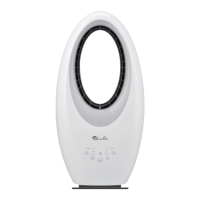
Bladeless Auto-Duster Fan
Electric Air Circulator
LP1700FAP
LP1700FAP-G
LP1700FAP-W
LP1700FAP-B
Owners Manual
Form #LP1700FAP
© 2019 ® Registered Trademark/TM Trademark of
LivePure LLC. Manufactured exclusively for LivePure
LLC. All rights reserved.
®
Question and Answer IconNeed help?

Do you have a question about the LivePure LP1700FAP and is the answer not in the manual?

Summary

At A Glance

Warnings and Know Your Fan

Essential safety instructions and precautions for operating the Bladeless Auto-Duster Fan to prevent hazards and ensure proper use.

Using Your Fan

How the System Works

Explains the airflow and filtration process, detailing how the Bladeless Auto-Duster Fan purifies room air.

Initial Setup

Step-by-step guide for unpacking and preparing the Bladeless Auto-Duster Fan for its first use.

Operating Your Fan

Operating the Fan

Instructions for controlling fan speed, rotation, timer settings, and accent light via the unit's control panel.

Operating the Remote Control

Details on using the remote control for power, speed, rotation, timer, and accent light functions.

Replacing the Remote Control Battery

Procedure for safely opening the remote, replacing the battery, and reassembling the unit.

Maintenance

Cleaning the Fan

Guidance on cleaning the fan's exterior surfaces and internal grill area using recommended methods.

Cleaning the Filter

Instructions on how to remove, clean, and reinsert the fan's filter to maintain performance.

Filter Ordering

Information on filter lifespan and how to purchase replacement filters for the Bladeless Auto-Duster Fan.

Fan Assistance

Troubleshooting

Solutions for common operational issues, including fan failure, unusual noise, and reduced airflow.

Technical Support

Contact details and operating hours for LivePure® customer service for setup, operation, or parts assistance.

Warranty

3 Year Guarantee

Details the limited three-year warranty terms, coverage, exclusions, and claim procedures for the fan.

Overview

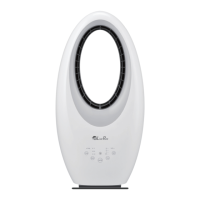
The LivePure Bladeless Auto-Duster Fan is an electric air circulator designed to provide powerful, smooth airflow while also trapping airborne particles. This owner's manual covers the LP1700FAP, LP1700FAP-G, LP1700FAP-W, and LP1700FAP-B models.

Function Description:

The Bladeless Auto-Duster Fan operates by pulling air through a back grill. This air then passes through a CocoCarbon® filter, which is designed to trap larger airborne particles such as dust, pet hair, and dander. After filtration, the clean air is circulated into the room as a powerful, smooth stream of airflow. This dual function of air circulation and particle filtration aims to improve indoor air quality while providing cooling or air movement.

Important Technical Specifications:

While specific technical specifications like power consumption, airflow volume, or noise levels are not detailed in the provided manual, the device is described as an "Electric Air Circulator." It utilizes a CocoCarbon® filter, which is a key component of its auto-duster functionality. The remote control uses a Lithium Button Cell Battery (CR2025). The product is designed for dry indoor locations only and should not be used outdoors or in wet environments.

Usage Features:

The fan offers several user-controlled features, accessible via both the control panel on the unit and a remote control:

  • Power On/Off: The fan can be turned on or off by pressing the ON/OFF button on either the unit or the remote.
  • Speed Settings: Users can adjust the fan speed through three settings: Low, Medium, and Turbo. A light on the unit indicates the currently selected speed.
  • Rotation (Oscillation): The fan features a rotation function, which can be turned on or off by pressing the ROTATE button. When rotation is turned off, the fan pauses in its current position.
  • Timer Function: A timer can be set for 1, 2, 4, or 8-hour intervals, allowing for automatic shut-off. A light indicates the selected timer duration.
  • Accent Light: The fan includes an accent light with multiple color options: white, green, purple, and blue. Users can cycle through these colors or turn the light off by pressing the LIGHT button. Notably, if the accent light is on when the fan is powered off, it will remain on until explicitly turned off.

Initial Setup:

  1. Remove the fan and all packaging materials from the box.
  2. Extend the power cord and inspect it for any damage.
  3. Plug the fan into a wall outlet.
  4. Turn on the unit using the ON/OFF button on the fan or remote.

Remote Control:

The remote control mirrors the functions available on the main unit's control panel. It includes dedicated buttons for ON/OFF, SPEED, TIMER, ROTATE, and individual buttons for WHITE, GREEN, PURPLE, and BLUE accent light colors.

Replacing the Remote Control Battery:

  1. Turn the remote control over.
  2. Press tab A towards the right and pull to open the battery compartment.
  3. Pull out battery holder B and replace the battery with a Lithium Button Cell Battery (CR2025), ensuring the positive side faces up.
  4. Insert battery holder B back into the remote.
  • Caution: Do not apply excessive force. Remove the battery if not using the remote for an extended period. Dispose of used batteries properly. Keep lithium batteries out of reach of small children, as accidental swallowing can be hazardous.

Maintenance Features:

Regular maintenance is crucial for optimal performance and longevity of the fan.

Cleaning the Fan:

  • Always unplug the fan before cleaning.
  • Use a soft, damp cloth to wipe the outer surfaces.
  • Do not immerse the fan in water or any other liquid, and prevent water from dripping on the motor housing.
  • Avoid using gasoline, paint thinner, or corrosive cleaning solutions.
  • To clean between the grills, a pipe cleaner, flexible dust wand, vacuum cleaner, or compressed air is recommended to gently remove dust.
  • For extended storage, cover the assembled fan to protect it from dust and store it in a cool, dry place.

Cleaning the Filter:

The fan utilizes a CocoCarbon® filter, which is described as "permanent" but may lose efficiency over time.

  1. Turn off and unplug the fan.
  2. Push up on the prongs to release the back grill.
  3. Remove the filter from the grill.
  4. Vacuum the filter using a vacuum's brush attachment. Hold down the pre-filter to prevent it from being sucked into the vacuum. Do not use water, any liquid, or detergent to clean the pre-filter.
  5. If necessary, clean the grill with a soft, damp cloth.
  6. Align the filter in the grill, ensuring it lies flat.
  7. Insert the top tabs of the grill into the fan.
  8. Push the grill towards the fan until the bottom prongs securely snap into place.

Filter Ordering:

While the filter is considered permanent, replacements are available if it becomes difficult to clean or loses efficiency due to air quality and environmental factors. Replacement filters (LP-PF1900-FAP, 2 Pack) can be ordered from www.livepureshop.com.

Troubleshooting:

The manual provides guidance for common issues:

  • Fan fails to operate: Check if plugged in, powered on, and if a fuse or circuit breaker has tripped. Use a time-delay fuse if applicable.
  • Fan makes unusual noise: Unplug for 1 minute, then plug back in. If the noise persists, contact customer service.
  • Reduced airflow or increased noise: Clean the fan and filter as described in the maintenance section.
  • Serious malfunctions: If the fan does not operate after connecting and turning on, exhibits abnormal noise, stops operating when the power cord is moved, rotates slowly/irregularly, emits a burning smell, or if the motor/plug/power cord become abnormally hot, stop using the fan immediately, unplug it, and contact LivePure Customer Service.
  • Warning: Do not attempt to disassemble the unit yourself, as this voids the warranty and can cause damage or injury.

Warranty:

LivePure®, LLC offers a limited warranty:

  • 3-Year Warranty: Covers the fan motor for three years from the date of purchase, provided the fan is operated and maintained according to instructions. LivePure® will repair or replace the fan.
  • 1-Year Warranty: Covers the fan cord or control panel for one year from the date of purchase under the same conditions.
  • Failure to clean and/or maintain the fan invalidates the warranty.
  • The warranty is void if the original residential user ceases to own the fan.
  • Implied warranties are limited to the period of the express warranty.
  • The warranty is void if the fan is not purchased and used in the USA or Canada.
  • Exclusions: Defects caused by unauthorized repairs, use of unauthorized parts/accessories, mishandling, unreasonable use, or failure to provide maintenance. It does not cover fans used in commercial applications.

Customer Support:

For technical support or warranty service, contact LivePure Customer Service:
  • USA & Canada: 888-855-5426
  • Hours: Monday through Friday, 8:00 AM to 6:00 PM EST.
  • Online: www.livepureshop.com/pages/rma

LivePure LP1700FAP Specifications

General IconGeneral
BrandLivePure
ModelLP1700FAP
CategoryFan
LanguageEnglish

Related product manuals