Using Your Fan
Initial Setup
1. Carefully remove fan from box and remove any packaging material.
2. Extend power cord and inspect for any signs of damage. If damaged, refer to
Technical Support.
3. Plug into wall outlet.
4. Turn on unit by pressing ON/OFF button on fan or remote.
5. Refer to Operating the Fan for more information on operating your fan.
Air is pulled into the fan through the back grill. The air passes through a
CocoCarbon® filter where larger airborne particles such as dust, pet hair and
dander are trapped. The clean air is then circulated in your room with a powerful,
smooth stream of airflow.
How the System Works:
Initial Setup:
4
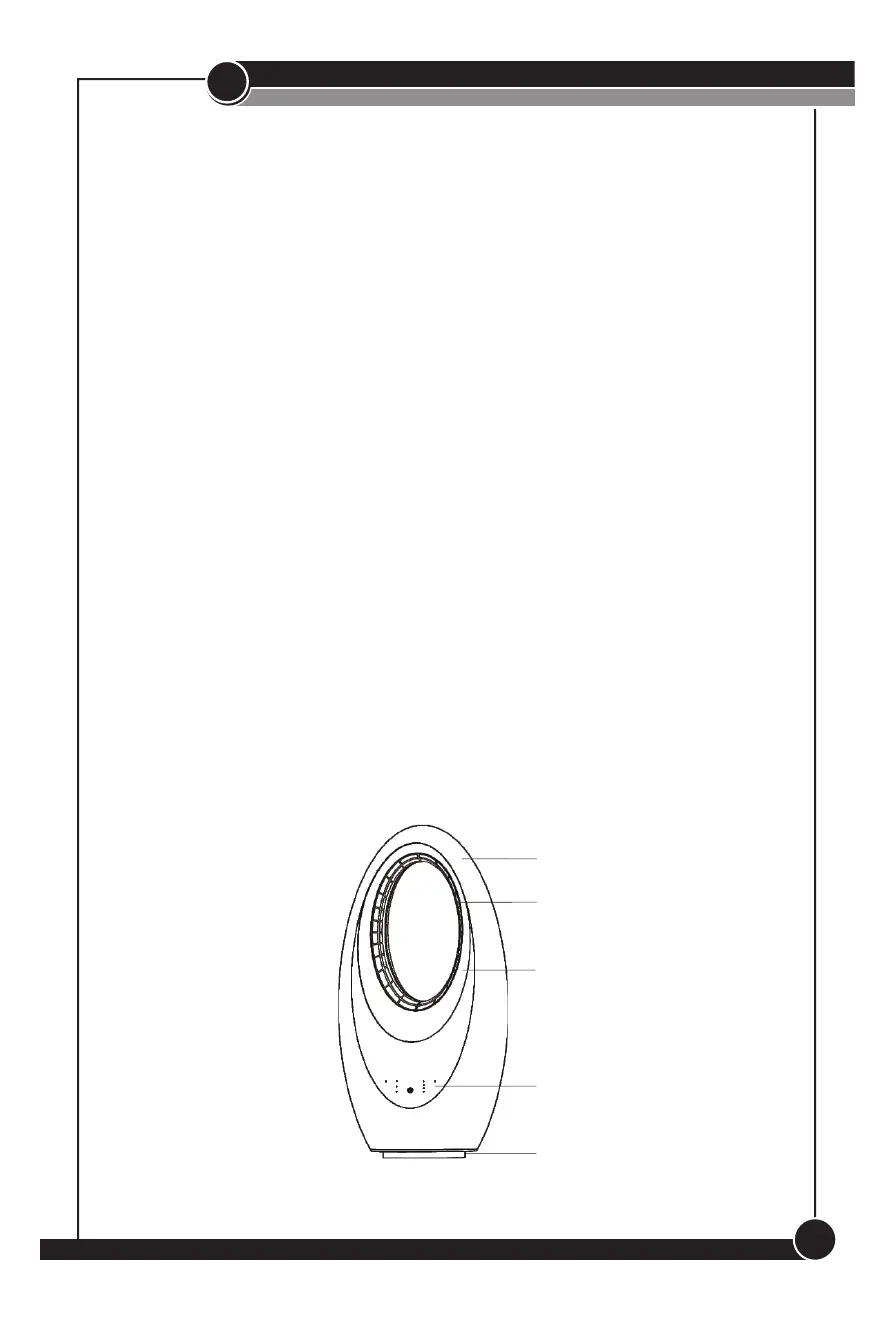
Body
Outlet
Light
Control Panel
Base
Figure 1


 To Next Page